AKU-EBClass X (SSC Part II)CHAPTER-WISE ERQS • EXTENDED RESPONSE

Computer Science — Chapter-Wise Extended Response Questions (ERQs)

Practice 4–6 mark structured derivations, graph interpretations, and multi-part problems from 2024 & 2025 Annual Paper II, Model Paper II, and curriculum banks with official marking schemes and E-Marking scripts.

Back to Computer Science Subject Hub

Select a Chapter (or Browse All Below)

Click any unit card to filter to that specific chapter, or use the search bar to find any concept, formula, or SLO code.

UNIT 10 • 7 EXTENDED QUESTIONS (ERQS)

Unit 10: Programming in JavaScript

2025 Syllabus Outcome (10.4.3): write JavaScript code to implement the following statements: a. if statement, b. if-else statement, c. if-else or if-else-if, d. switch statement;
EITHER
a. Write JavaScript code to perform the following task:
•ask the user to enter a menu option number using an input statement.
•use a switch statement to display:
•"Add Record" for option 1
•"Update Record" for option 2
•"Delete Record" for option 3
•"View Record" for option 4
•display "Invalid Option Selected" if the entered value does not match any case.
•display the output using JavaScript.
OR
b. Write JavaScript code to perform the following task using a for loop:
•ask the user to enter a positive integer n representing the number of students.
•ask the user to enter marks for each student.
•calculate the total marks and average marks.
•display the result in the format:
•"Total Marks: total"
•"Average Marks: average"
•if the user enters a number less than 1 for n, display "Invalid number of students".
📋 Official Checking Hints (Marking Rubric • 6 Marks)
  • 1 mark for reading the menu option using prompt().
  • 4 marks (1 mark per case with break) for handling options 1, 2, 3, 4.
  • 1 mark for the default branch displaying "Invalid Option Selected".
  • 1 mark for reading n and checking if (n < 1).
  • 2 marks for writing the for loop from 1 to n and reading each student's marks.
  • 2 marks for accumulating total and computing average = total / n.
  • 1 mark for displaying Total Marks and Average Marks in the required format.
✓ MODEL SOLUTION (Full Marks Guidance)
Option (a): Menu Selection Using switch Statement
JAVASCRIPTSource Code
let option = Number(prompt("Enter menu option number (1-4):"));
switch (option) {
    case 1:
        document.write("Add Record");
        break;
    case 2:
        document.write("Update Record");
        break;
    case 3:
        document.write("Delete Record");
        break;
    case 4:
        document.write("View Record");
        break;
    default:
        document.write("Invalid Option Selected");
}
Option (b): Student Total & Average Marks Using for Loop
JAVASCRIPTSource Code
let n = Number(prompt("Enter the number of students:"));
if (n < 1) {
    document.write("Invalid number of students");
} else {
    let total = 0;
    for (let i = 1; i <= n; i++) {
        let marks = Number(prompt("Enter marks for student " + i + ":"));
        total += marks;
    }
    let average = total / n;
    document.write("Total Marks: " + total + "<br>");
    document.write("Average Marks: " + average);
}

Examiner Commentary (Better Responses): Follow the reference model solution and step-by-step marking criteria.

⚠ WEAKER RESPONSE (Common Misconceptions & Lost Marks)
Avoid syntax errors, missing loop termination conditions, or incomplete binary arithmetic carries.
Examiner Suggestion for Improvement: Practise writing complete JavaScript programs and binary arithmetic conversions step by step.
2025 Syllabus Outcome (10.5.3): write JavaScript code to implement the following loops: a. for loop, b. while loop, c. do while loop, d. nested loop;
EITHER
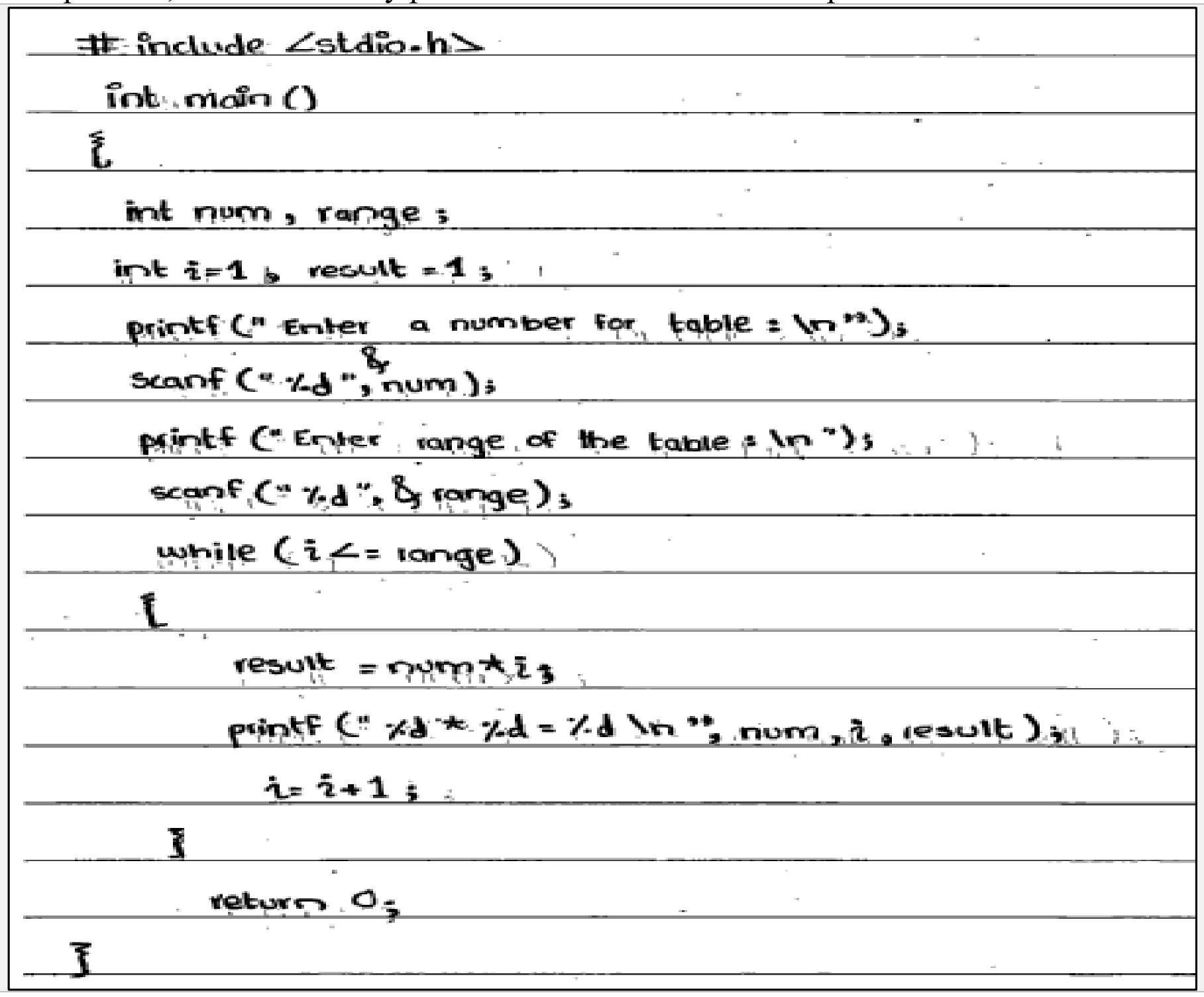
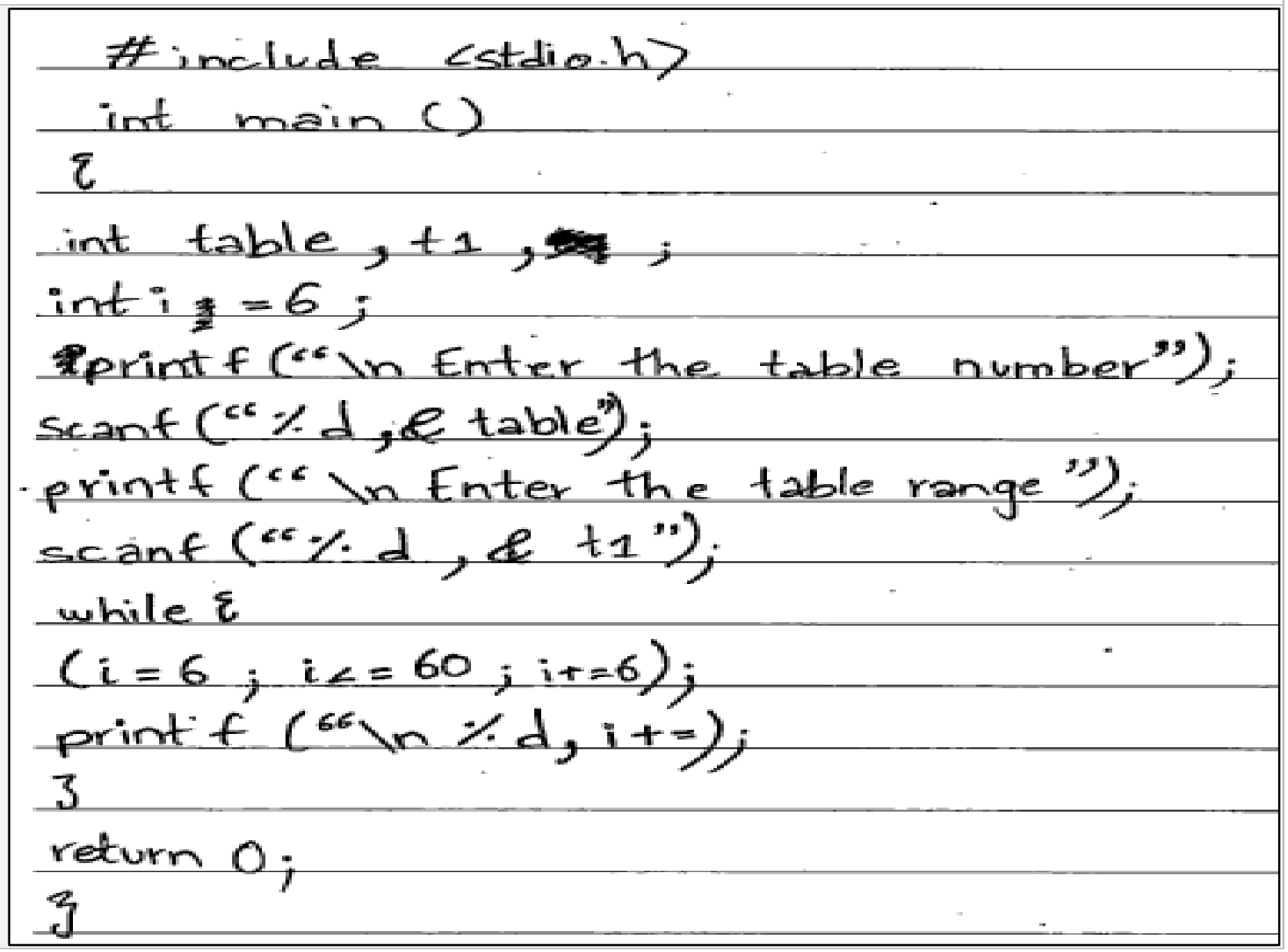
a. Write a 'C' program to take table number and range as an input and print the table of inputted number till the inputted range using while loop. (6 Marks)
OR
b. Write a 'C' program to take a character as an input and print whether the character is a vowel or a consonant. (6 Marks)
📋 Official Checking Hints (Marking Rubric • 6 Marks)
  • 1 mark for declaring correct variables.
  • 1 mark for taking input.
  • 1 mark for writing the correct condition of the while loop.
  • 1 mark for writing the formula for calculating multiple.
  • 1 mark for the increment in the counter variable.
  • 1 mark for writing the output.
  • 1 mark for taking input.
  • 1 mark for printing output.
  • 2 marks for checking vowel using if condition (five operators/cases required).
  • 1 mark for checking a consonant.
  • 1 mark for checking invalid character (default in switch).
✓ MODEL SOLUTION (Full Marks Guidance)
Option (a): Multiplication Table up to Inputted Range Using while Loop
C Program:
CSource Code
#include <stdio.h>
int main()
{
    int num, range, i = 1, result;
    printf("Enter a number for table: ");
    scanf("%d", &num);
    printf("Enter range of the table: ");
    scanf("%d", &range);
    while (i <= range)
    {
        result = num * i;
        printf("%d * %d = %d\n", num, i, result);
        i = i + 1;
    }
    return 0;
}
2025 Syllabus JavaScript Equivalent:
JAVASCRIPTSource Code
let num = Number(prompt("Enter a number for table:"));
let range = Number(prompt("Enter range of the table:"));
let i = 1;
while (i <= range) {
    let result = num * i;
    document.write(num + " * " + i + " = " + result + "<br>");
    i++;
}
Option (b): Check Whether an Input Character is a Vowel or a Consonant
C Program:
CSource Code
#include <stdio.h>
int main()
{
    char ch;
    printf("Enter an alphabet: ");
    scanf(" %c", &ch);
    if ((ch >= 'A' && ch <= 'Z') || (ch >= 'a' && ch <= 'z'))
    {
        if (ch == 'a' || ch == 'e' || ch == 'i' || ch == 'o' || ch == 'u' ||
            ch == 'A' || ch == 'E' || ch == 'I' || ch == 'O' || ch == 'U')
        {
            printf("%c is a vowel", ch);
        }
        else
        {
            printf("%c is a consonant", ch);
        }
    }
    else
    {
        printf("Invalid character");
    }
    return 0;
}

Examiner Commentary (Better Responses): Part (a): In better responses, candidates demonstrated a clear understanding of how to generate a multiplication table. They correctly took all required inputs, including the number and the range, applied the correct formula to calculate the multiplication of numbers as specified in the question, and successfully printed the times table in the expected format. Part (b): In better responses, candidates effectively checked whether the input character was a vowel, a consonant, or an invalid character. They applied the correct syntax of if-else statements and compared the input character through relational and logical operators accurately to construct appropriate conditions.

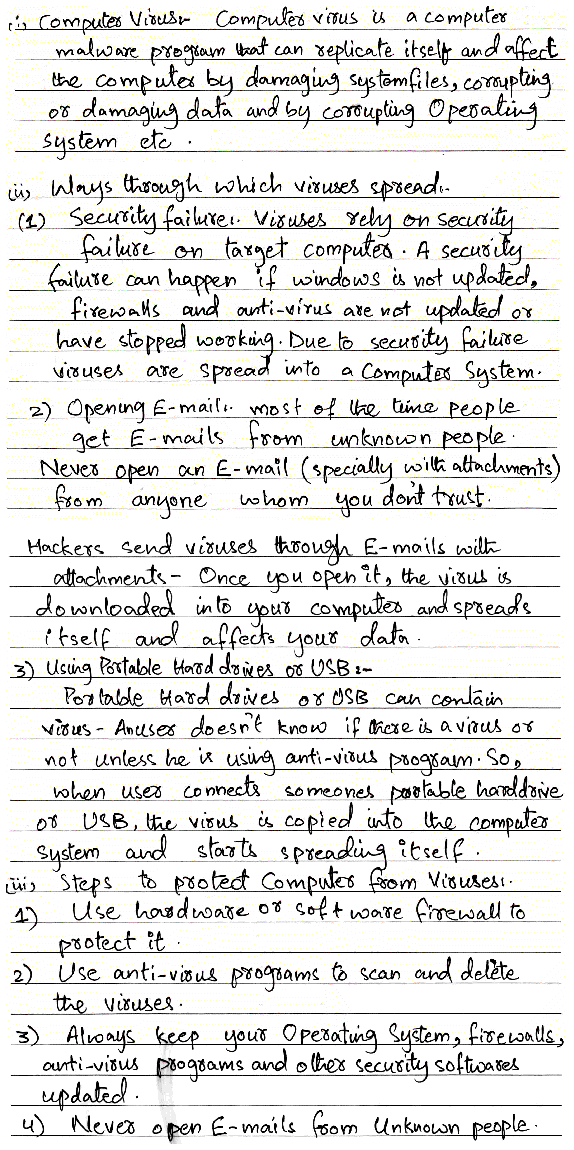
Authentic E-Marking Better Candidate Script:
Better candidate script for Q.5
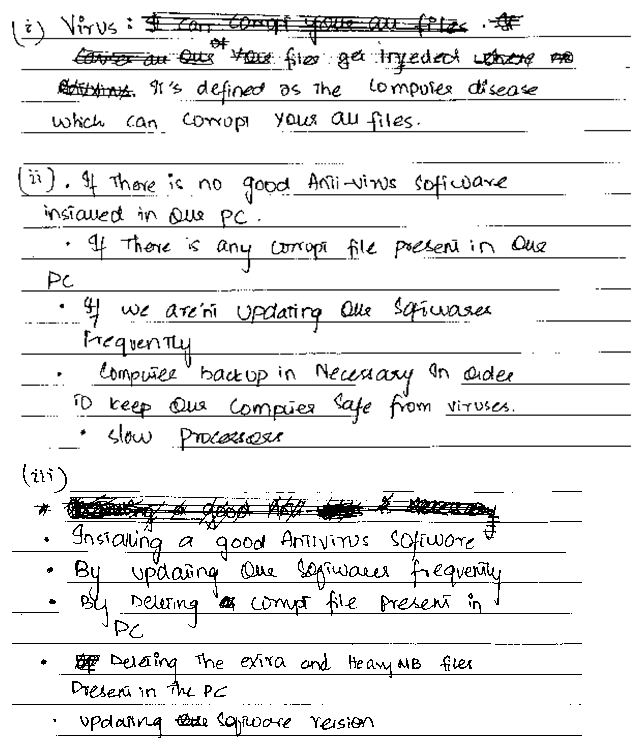
⚠ WEAKER RESPONSE (Common Misconceptions & Lost Marks)
Part (a): In weaker responses, candidates struggled with the basic structure of the while loop, used the incorrect syntax that led to compilation errors, or had faulty logic. Many programs received incorrect or incomplete inputs and frequently misused the printf and scanf functions, which affected both the functionality and output format of their programs. Part (b): In weaker responses, candidates were unable to correctly identify vowels and consonants, often using incorrect syntax within the if-else structure for condition checking. A common mistake was the improper use of logical operators or missing conditions. Additionally, some students failed to take input correctly by using the int data type instead of char.
Authentic E-Marking Weaker Candidate Script:
Weaker candidate script for Q.5
Examiner Suggestion for Improvement: Teachers are encouraged to provide students with regular hands-on practice of practical questions in the computer lab to strengthen their coding skills. Alongside coding exercises, students should also be guided to write algorithms and pseudocode for each program. Teachers are suggested to provide students with focused practice on the use of the char data type to strengthen their understanding of character handling in programming. More emphasis should be placed on conditional and control statements, such as if-else and switch, to help students construct accurate logic by practicing example programs in labs.
2025 Syllabus Outcome (10.4.3): write JavaScript code to implement the following statements: a. if statement, b. if-else statement, c. if-else or if-else-if, d. switch statement;
EITHER
a. Write a C program to take a year as an input, identify and print whether the inputted year is a leap year or not. (6 Marks)
OR
b. Write a C program to print the first ten numbers of Fibonacci series using for loop.
(Fibonacci series: 0 1 1 2 3 5 8 13 21 34 . . .) (6 Marks)
📋 Official Checking Hints (Marking Rubric • 6 Marks)
  • 1 mark for variable declaration (int year;).
  • 1 mark for taking user input (scanf("%d", &year);).
  • 2 marks for writing the correct leap-year condition (year % 4 == 0 or full Gregorian rule (year % 400 == 0) || (year % 4 == 0 && year % 100 != 0)).
  • 2 marks for printing the appropriate output in both if and else blocks.
  • 1 mark for declaring and initialising the first two terms (t1 = 0, t2 = 1) and loop variables.
  • 2 marks for writing the for loop structure for 10 terms (for (i = 1; i <= 10; i++)).
  • 2 marks for computing the next Fibonacci term (nextTerm = t1 + t2; t1 = t2; t2 = nextTerm;).
  • 1 mark for printing the series output accurately.
✓ MODEL SOLUTION (Full Marks Guidance)
Option (a): Identify Whether an Inputted Year is a Leap Year or Not
C Program:
CSource Code
#include <stdio.h>
int main()
{
    int year;
    printf("Enter a year: ");
    scanf("%d", &year);
    if ((year % 400 == 0) || (year % 4 == 0 && year % 100 != 0))
    {
        printf("%d is a leap year.\n", year);
    }
    else
    {
        printf("%d is not a leap year.\n", year);
    }
    return 0;
}
2025 Syllabus JavaScript Equivalent:
JAVASCRIPTSource Code
let year = Number(prompt("Enter a year:"));
if ((year % 400 === 0) || (year % 4 === 0 && year % 100 !== 0)) {
    document.write(year + " is a leap year.");
} else {
    document.write(year + " is not a leap year.");
}
Option (b): Print the First Ten Numbers of the Fibonacci Series Using for Loop
C Program:
CSource Code
#include <stdio.h>
int main()
{
    int i, n = 10, t1 = 0, t2 = 1, nextTerm;
    printf("First 10 numbers of Fibonacci series: ");
    for (i = 1; i <= n; i++)
    {
        printf("%d ", t1);
        nextTerm = t1 + t2;
        t1 = t2;
        t2 = nextTerm;
    }
    return 0;
}
2025 Syllabus JavaScript Equivalent:
JAVASCRIPTSource Code
let t1 = 0, t2 = 1, nextTerm;
for (let i = 1; i <= 10; i++) {
    document.write(t1 + " ");
    nextTerm = t1 + t2;
    t1 = t2;
    t2 = nextTerm;
}

Examiner Commentary (Better Responses): In better responses for Part (a), candidates used the modulus operator `%` to test divisibility by 4 (and 100/400) inside an `if-else` statement. For Part (b), better responses initialised `t1 = 0` and `t2 = 1`, ran a `for` loop 10 times, printed `t1`, and updated `nextTerm = t1 + t2; t1 = t2; t2 = nextTerm;`.

⚠ WEAKER RESPONSE (Common Misconceptions & Lost Marks)
In weaker responses for Part (a), candidates wrote year / 4 == 0 instead of year % 4 == 0. In Part (b), weaker responses hard-coded printf("0 1 1 2 3 5 8 13 21 34") without computing terms dynamically or failed to shift t1 = t2 and t2 = nextTerm in the correct order.
Examiner Suggestion for Improvement: Practice modulus divisibility checks (`%`) for conditional problems and variable-swapping patterns (`next = a + b; a = b; b = next;`) in iterative sequence generation.
2025 Syllabus Outcome (10.4.3): write JavaScript code to implement the following statements: a. if statement, b. if-else statement, c. if-else or if-else-if, d. switch statement;
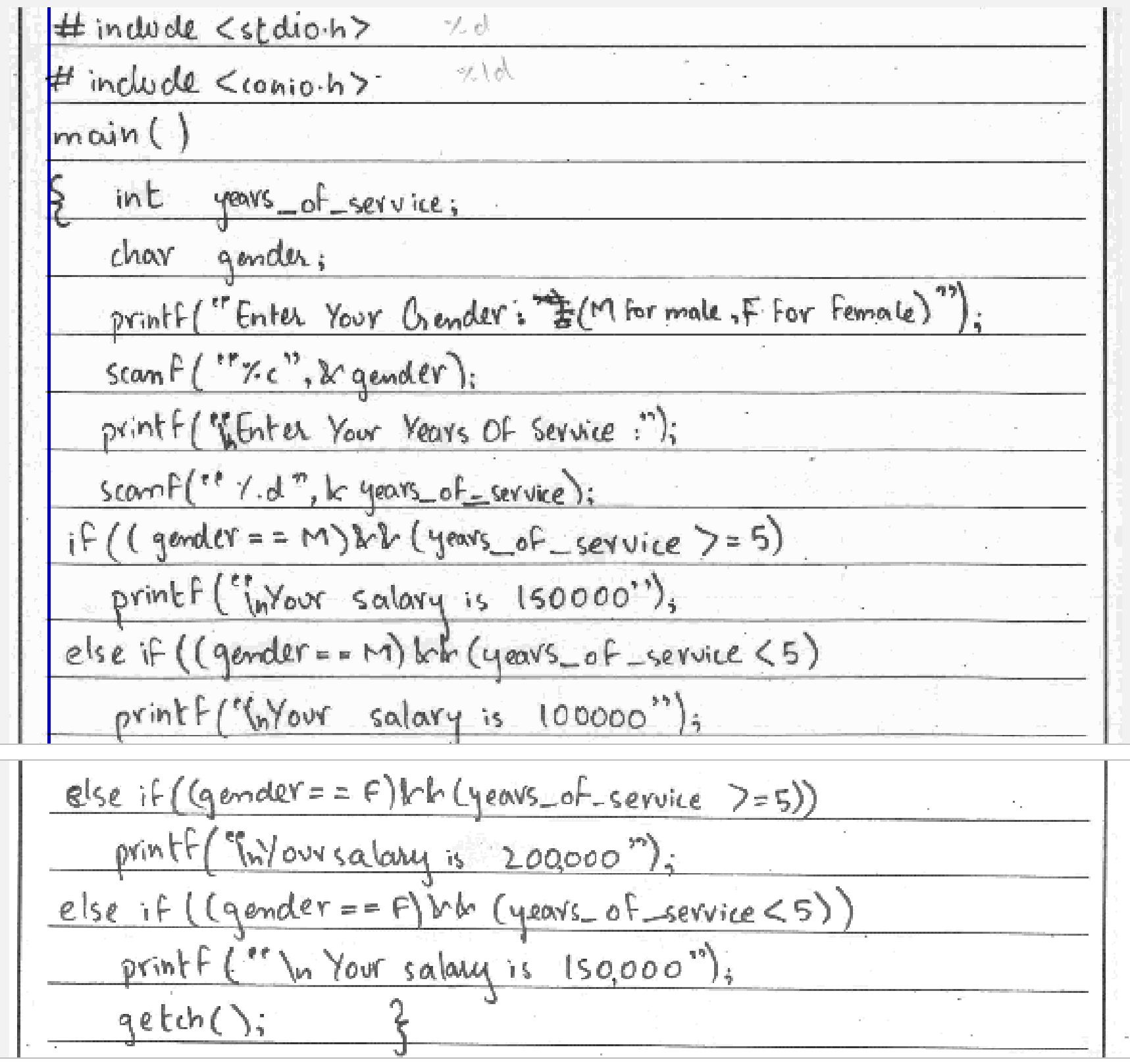
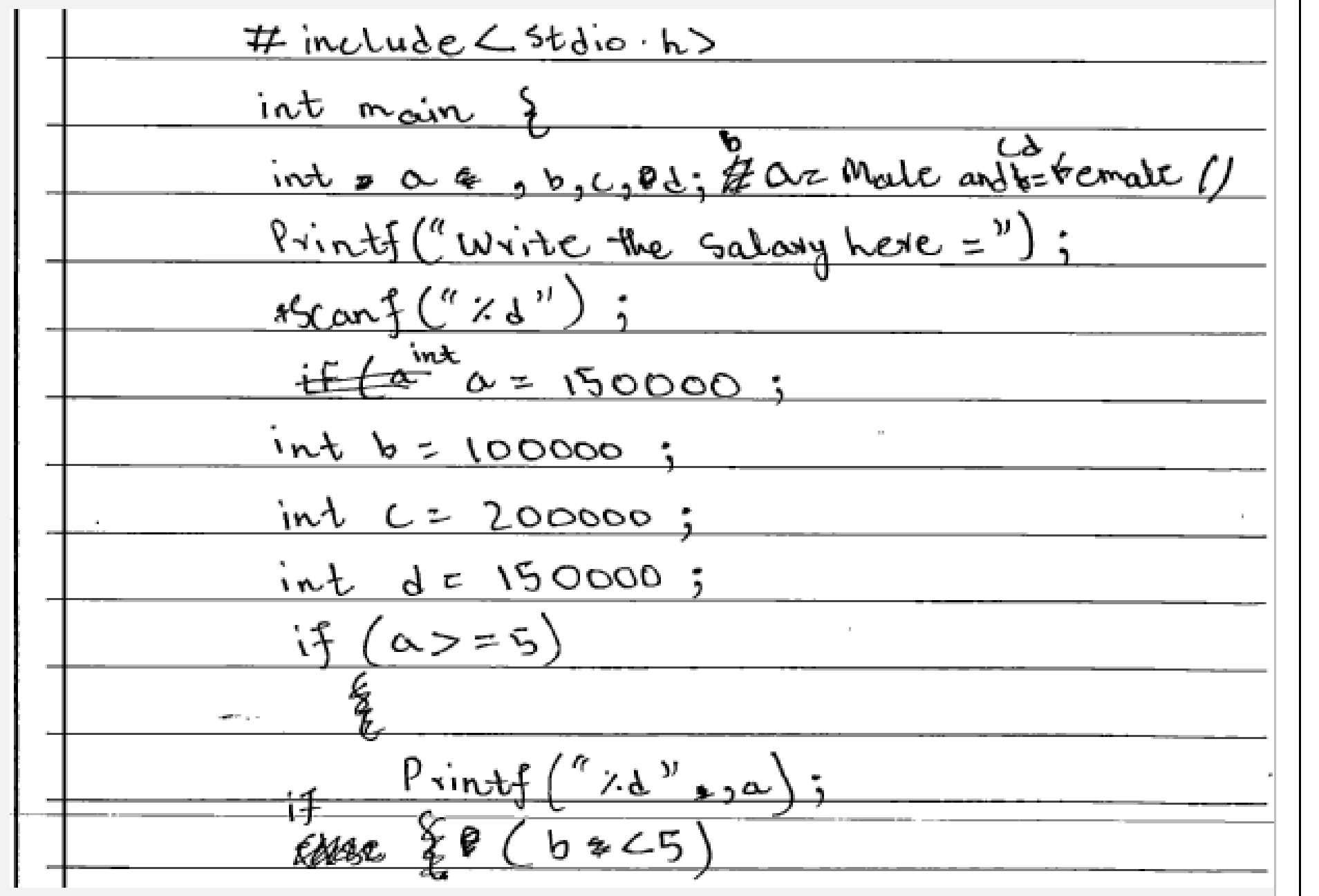
EITHER (a): Write a C program to print the salary of an employee according to the given conditions.
(Note: Take years of service and gender as an input.)
GenderYears of ServiceSalary
Male>= 5150000
Male< 5100000
Female>= 5200000
Female< 5150000
OR (b): Write a C program to
i.take a number n as an input.
ii.print n even numbers.
iii.print the sum of those even numbers.
📋 Official Checking Hints (Marking Rubric • 6 Marks)
  • 1 mark for declaring the correct variables.
  • 1 mark for taking the input.
  • 1 mark for writing each correct condition using correct operators (FOUR required).
  • 1 mark for declaring correct variables.
  • 1 mark for taking input.
  • 1 mark for writing correct for loop.
  • 1 mark for writing print statement inside loop.
  • 1 mark for the formula for adding even numbers.
  • 1 mark for writing the output.
✓ MODEL SOLUTION (Full Marks Guidance)
Option (a): Employee Salary Calculation by Gender & Years of Service
C Program:
CSource Code
#include <stdio.h>
int main()
{
    int years_of_service;
    char gender;
    printf("Enter Gender (M for Male, F for Female): ");
    scanf(" %c", &gender);
    printf("Enter Years of Service: ");
    scanf("%d", &years_of_service);

    if ((gender == 'M' || gender == 'm') && (years_of_service >= 5))
        printf("Your salary is 150000");
    else if ((gender == 'M' || gender == 'm') && (years_of_service < 5))
        printf("Your salary is 100000");
    else if ((gender == 'F' || gender == 'f') && (years_of_service >= 5))
        printf("Your salary is 200000");
    else if ((gender == 'F' || gender == 'f') && (years_of_service < 5))
        printf("Your salary is 150000");
    else
        printf("Invalid input");

    return 0;
}
2025 Syllabus JavaScript Equivalent:
JAVASCRIPTSource Code
let gender = prompt("Enter Gender (M for Male, F for Female):");
let years = Number(prompt("Enter Years of Service:"));
if ((gender === 'M' || gender === 'm') && years >= 5) {
    document.write("Your salary is 150000");
} else if ((gender === 'M' || gender === 'm') && years < 5) {
    document.write("Your salary is 100000");
} else if ((gender === 'F' || gender === 'f') && years >= 5) {
    document.write("Your salary is 200000");
} else if ((gender === 'F' || gender === 'f') && years < 5) {
    document.write("Your salary is 150000");
}
Option (b): Print n Even Numbers and Their Sum Using for Loop
C Program:
CSource Code
#include <stdio.h>
int main()
{
    int a, n, sum = 0, b = 2;
    printf("Enter number of even numbers required: ");
    scanf("%d", &n);
    for (a = 1; a <= n; a++)
    {
        printf("\n%d", b);
        sum += b;
        b += 2;
    }
    printf("\nSum of these numbers is %d", sum);
    return 0;
}
2025 Syllabus JavaScript Equivalent:
JAVASCRIPTSource Code
let n = Number(prompt("Enter number of even numbers required:"));
let sum = 0, b = 2;
for (let a = 1; a <= n; a++) {
    document.write(b + "<br>");
    sum += b;
    b += 2;
}
document.write("Sum of these numbers is " + sum);

Examiner Commentary (Better Responses): Part (a): In the better responses, the candidates effectively generated the desired output using proper variable declarations, input and output statements, and accurate conditional statements. Notably, the candidates demonstrated the ability to differentiate between character and numeric variable declaration. Part (b): In better responses, candidates successfully incorporated correct looping statements, a counter statement to calculate even numbers (`b += 2`), proper variable declarations (`sum = 0, b = 2`), and appropriate input and output statements.

Authentic E-Marking Better Candidate Script:
Better candidate script for Q.5
⚠ WEAKER RESPONSE (Common Misconceptions & Lost Marks)
Part (a): Weaker responses indicated a need for improvement in basic programming concepts, as candidates did not take the required input for the task and were unable to showcase the use of if-else structure and logical operators. Part (b): Weaker responses displayed several shortcomings, such as not utilising an iterative statement and including irrelevant input and print statements.
Authentic E-Marking Weaker Candidate Script:
Weaker candidate script for Q.5
Examiner Suggestion for Improvement: Teachers are advised to focus on the basic programming concepts by providing some more practice programs of conditional structures to the candidates. Teachers are advised to focus on the basic programming concepts and provide candidates several practice programs of iterative structures.
2025 Syllabus Outcome (10.5.3): write JavaScript code to implement the following loops: a. for loop, b. while loop, c. do while loop, d. nested loop;
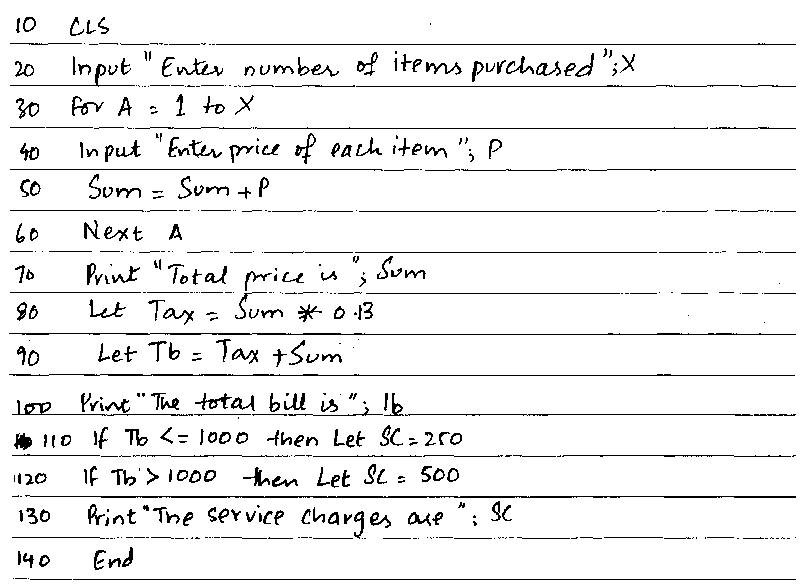
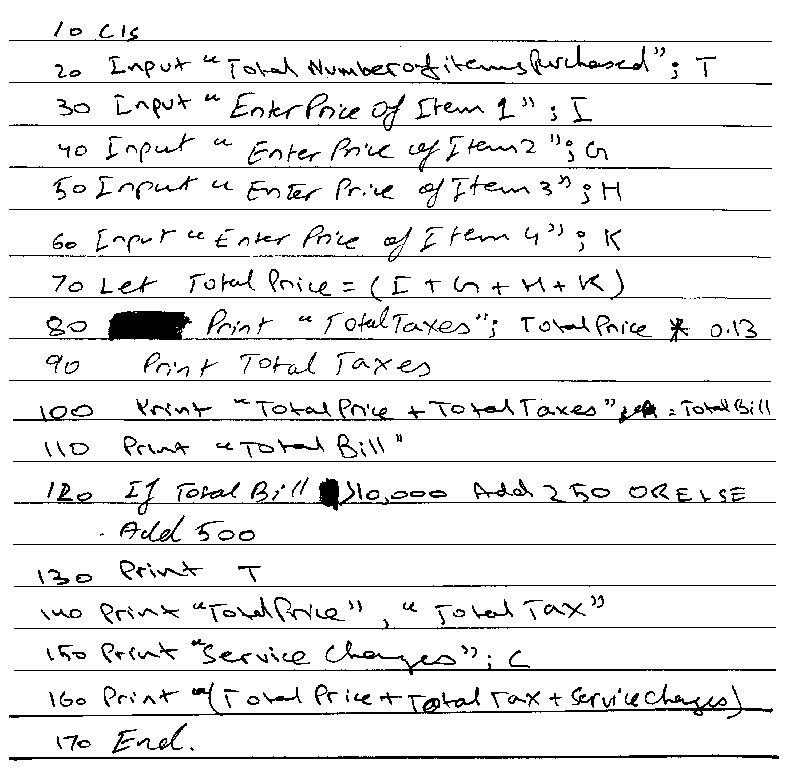
EITHER (a): Write a GW-BASIC program to be used in a restaurant that
•inputs total number of items purchased by each customer.
•inputs the price of each item and adds them to get the total price.
•calculates 13% as tax amount on the total bill (Formula to Calculate Tax = Total Price × 0.13).
•adds total price and tax amount to get the amount of total bill.
•outputs the amount of total bill.
•calculates and outputs the service charges according to the given criteria:
Total BillService Charges
1 to 10000 Rupees250
More than 10000 Rupees500
OR (b): A cab service (taxi car) needs a program to calculate the bill of customers.
Write a GW-BASIC program for the cab service that
•inputs number of kilometres travelled.
•charges 30 rupees per kilometre for initial 5 kilometres.
•charges 25 rupees for each kilometre after 5 kilometres.
•adds fixed amount of 50 rupees in total charges.
•outputs the bill.
📋 Official Checking Hints (Marking Rubric • 7 Marks)
  • 1 mark for inputting total number of items.
  • 2 marks for loop inputting each item's price and accumulating Total Price.
  • 1 mark for calculating Tax = Total Price * 0.13.
  • 1 mark for calculating and printing Total Bill = Total Price + Tax.
  • 2 marks for conditional check (Total Bill <= 10000 vs > 10000) and outputting Service Charges (250 or 500).
  • 1 mark for inputting kilometres travelled (D).
  • 2 marks for condition D <= 5 calculating fare = D * 30.
  • 2 marks for condition D > 5 calculating fare = (5 * 30) + ((D - 5) * 25).
  • 1 mark for adding fixed charges of 50 rupees.
  • 1 mark for outputting the final bill.
✓ MODEL SOLUTION (Full Marks Guidance)
Option (a): Restaurant Bill & Service Charges Program
GW-BASIC Program (2019 Exam):
BASICSource Code
10 CLS
20 SUM = 0
30 INPUT "Enter number of items purchased: "; N
40 FOR A = 1 TO N
50 INPUT "Enter price of item: "; P
60 SUM = SUM + P
70 NEXT A
80 TAX = SUM * 0.13
90 TB = SUM + TAX
100 PRINT "The Total Bill is: "; TB
110 IF TB >= 1 AND TB <= 10000 THEN SC = 250 ELSE SC = 500
120 PRINT "The Service Charges are: "; SC
130 END
2025 Syllabus Equivalent (JavaScript):
JAVASCRIPTSource Code
let n = parseInt(prompt("Enter total number of items purchased:"));
let totalPrice = 0;
for (let i = 1; i <= n; i++) {
    let price = parseFloat(prompt("Enter price of item " + i + ":"));
    totalPrice += price;
}
let tax = totalPrice * 0.13;
let totalBill = totalPrice + tax;
document.write("Total Bill: " + totalBill + "<br>");
let serviceCharges = (totalBill <= 10000) ? 250 : 500;
document.write("Service Charges: " + serviceCharges);
Option (b): Cab Service Tiered Fare Calculation Program
GW-BASIC Program (2019 Exam):
BASICSource Code
10 CLS
20 INPUT "Enter total kilometres travelled: "; D
30 IF D <= 5 THEN SUBCOST = D * 30 ELSE SUBCOST = (5 * 30) + ((D - 5) * 25)
40 BILL = SUBCOST + 50
50 PRINT "Total Cab Service Bill = "; BILL
60 END
2025 Syllabus Equivalent (JavaScript):
JAVASCRIPTSource Code
let d = parseFloat(prompt("Enter number of kilometres travelled:"));
let subCost;
if (d <= 5) {
    subCost = d * 30;
} else {
    subCost = (5 * 30) + ((d - 5) * 25);
}
let totalBill = subCost + 50;
document.write("Total Cab Bill: Rs. " + totalBill);

Examiner Commentary (Better Responses): Part (a): Better responses demonstrated application of various GW-BASIC concepts correctly such as input statement, loop syntax with initial and final values of counter variable, tax calculation and totaling, using GW-BASIC arithmetic and relational operators rather than mathematical operators, and IF…THEN statement with correct condition criteria. Few of these responses used array to store price of items. Part (b): Better responses were able to apply knowledge of GW-BASIC to write a program for the scenario of cab service given in the question. These responses wrote correct input statement, IF…ELSE statements for less than or equal to 5 kilometers and for greater than 5 kilometers, fare calculation according to the criteria given in the question, totaling statements, and output statements.

Authentic E-Marking Better Candidate Script:
Better candidate script for Q.8
⚠ WEAKER RESPONSE (Common Misconceptions & Lost Marks)
Part (a): Weaker responses did not understand requirement of program to be written for the given scenario and made mistakes such as using mathematical arithmetic operators rather than GW-BASIC arithmetic operators, did not use loop to input price for each purchased item, used incorrect syntax and range of initial and final values of loop, used inverted commas around condition used with IF…ELSE statement, or did not write correct statement for totaling. Part (b): Weaker responses mostly managed to write correct input and output statements. However, these responses lost their marks because they wrote incorrect IF…ELSE statements for less than or equal to 5 kilometers and for greater than 5 kilometers and were unable to calculate fare according to the criteria given in the question.
Authentic E-Marking Weaker Candidate Script:
Weaker candidate script for Q.8
Examiner Suggestion for Improvement: Practice combining counter loops (`for`) for accumulating totals with conditional statements (`if-else`) for tiered charges. Teach piecewise billing problems (such as utility bills and taxi fares) by separating the base tier (`5 * 30`) from the excess tier (`(D - 5) * 25`).
2025 Syllabus Outcome (10.6.3): apply the process of traversing using all types of loops for input, output, and manipulation of elements;
EITHER (a): A small bookshop uses barcode which represents 5 digits. The last digit is called the check digit which is calculated as follows:
1.Add the first and third digit and multiply the result by 3
2.Add the second and fourth digit
3.Add the results of step 1 and 2
4.Divide the result of step 3 by 10 to get the remainder value
5.If the remainder is 0 then use it as a check digit, otherwise, subtract the remainder from 10 to get the check digit.
For instance, in 45678, the check digit is 8.
Write GW-BASIC code that would input the first four digits of barcodes of 150 books. It would calculate the check digit (fifth digit) and show it in output.
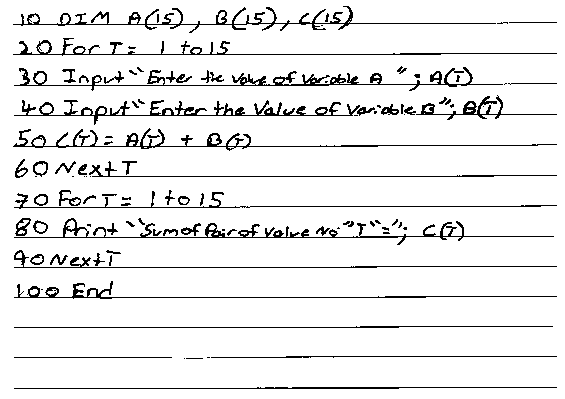
OR (b): Write a GW-BASIC program that must have one-dimensional arrays A, B and C respectively. Each array should be able to store fifteen integer values. The program should also perform addition operation on array A and B, store results in array C and show the sum of arrays in output.
📋 Official Checking Hints (Marking Rubric • 9 Marks)
  • 2 marks for FOR loop running from 1 to 150.
  • 2 marks for inputting the first four digits of each book's barcode.
  • 3 marks for computing Step 1, Step 2, Step 3, and Step 4 (Remainder using MOD 10).
  • 2 marks for IF-ELSE condition setting check digit to 0 or (10 - Remainder) and printing the check digit.
  • 2 marks for declaring arrays A(15), B(15), and C(15).
  • 2 marks for FOR loop running from 1 to 15.
  • 2 marks for inputting values into A(T) and B(T).
  • 2 marks for adding C(T) = A(T) + B(T).
  • 1 mark for printing the elements of array C(T).
✓ MODEL SOLUTION (Full Marks Guidance)
Option (a): Bookshop 5-Digit Barcode Check-Digit Program (150 Books)
GW-BASIC Program (2018 Exam):
BASICSource Code
10 CLS
20 FOR B = 1 TO 150
30 INPUT "Enter 1st, 2nd, 3rd, and 4th digits of barcode: "; D1, D2, D3, D4
40 LET S1 = (D1 + D3) * 3
50 LET S2 = D2 + D4
60 LET S3 = S1 + S2
70 LET REMVAL = S3 MOD 10
80 IF REMVAL = 0 THEN CD = 0 ELSE CD = 10 - REMVAL
90 PRINT "Check digit for book "; B; " is: "; CD
100 NEXT B
110 END
2025 Syllabus Equivalent (JavaScript):
JAVASCRIPTSource Code
for (let b = 1; b <= 150; b++) {
    let d1 = parseInt(prompt("Book " + b + " - Enter 1st digit:"));
    let d2 = parseInt(prompt("Book " + b + " - Enter 2nd digit:"));
    let d3 = parseInt(prompt("Book " + b + " - Enter 3rd digit:"));
    let d4 = parseInt(prompt("Book " + b + " - Enter 4th digit:"));
    let s1 = (d1 + d3) * 3;
    let s2 = d2 + d4;
    let rem = (s1 + s2) % 10;
    let checkDigit = (rem === 0) ? 0 : (10 - rem);
    document.write("Book " + b + " Check Digit: " + checkDigit + "<br>");
}
Option (b): Element-Wise Addition of Two 15-Element 1D Arrays (C = A + B)
GW-BASIC Program (2018 Exam):
BASICSource Code
10 CLS
20 DIM A(15), B(15), C(15)
30 FOR T = 1 TO 15
40 INPUT "Enter value for Array A: "; A(T)
50 INPUT "Enter value for Array B: "; B(T)
60 C(T) = A(T) + B(T)
70 NEXT T
80 FOR T = 1 TO 15
90 PRINT "Sum at position "; T; " = "; C(T)
100 NEXT T
110 END
2025 Syllabus Equivalent (JavaScript):
JAVASCRIPTSource Code
let A = new Array(15);
let B = new Array(15);
let C = new Array(15);
for (let i = 0; i < 15; i++) {
    A[i] = parseInt(prompt("Enter element " + (i + 1) + " for Array A:"));
    B[i] = parseInt(prompt("Enter element " + (i + 1) + " for Array B:"));
    C[i] = A[i] + B[i];
    document.write("C[" + i + "] = " + C[i] + "<br>");
}

Examiner Commentary (Better Responses): Part (a): Better responses demonstrated an excellent understanding of the given problem and wrote the correct FOR loop statement followed by input statement for four input digits and finally applied the different calculations, formulae and conditions given in this question. Part (b): Better responses depicted good understanding of the given problem and declared three arrays with appropriate names and subscript values followed by FOR loop statement with correct loop condition and the addition operation is performed on the values of arrays A and B and their answer is stored in array C. Finally, the output is displayed by printing the values of array C.

Authentic E-Marking Better Candidate Script:
Better candidate script for Q.8
⚠ WEAKER RESPONSE (Common Misconceptions & Lost Marks)
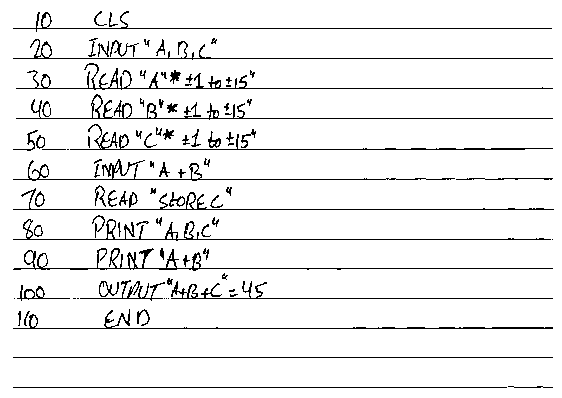
Part (a): Weaker responses showed lack of understanding of the problem given in the question and wrote incorrect GW-BASIC code that contained major errors such as no FOR loop used, FOR loop used with wrong loop condition, division operator (/) used instead of MOD to calculate the remainder, or constant values used to perform calculations instead of taking input during runtime. Part (b): Weaker responses exhibited lack of understanding of the given problem and wrote incorrect GW-BASIC code that contained major errors such as incorrect or no declaration of arrays, storing input values in scalar variables rather than storing in arrays, no use of FOR loop, or no output statement to show the sum of array A and B.
Authentic E-Marking Weaker Candidate Script:
Weaker candidate script for Q.8
Examiner Suggestion for Improvement: Emphasise using the modulus operator (`MOD` in GW-BASIC, `%` in JavaScript) whenever a problem asks for the remainder of a division. Practice element-by-element operations across parallel 1D arrays (`C[i] = A[i] + B[i]`) using a `for` loop under Unit 10 (`10.6.3`).
2025 Syllabus Outcome (10.6.4): write a program that stores numeric values in a one-dimensional array using a for loop and obtains the highest, lowest, and average values.
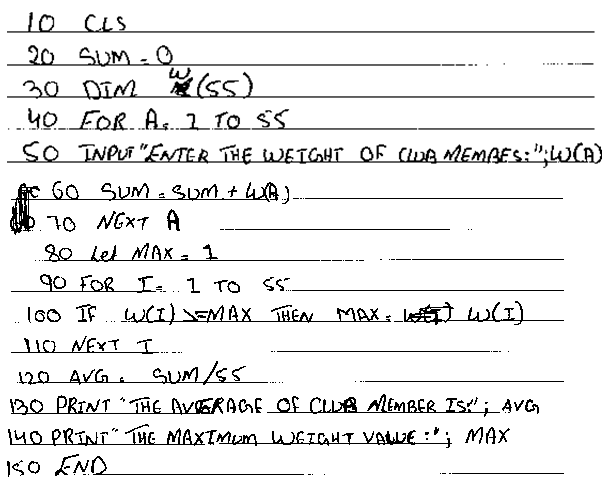
EITHER (a): A cricket club trainer wants to calculate the average weight of club members.
Write GW-BASIC code that will
•input the weight of 55 club members.
•calculate the average and maximum weight values.
•display the average and maximum weight values.
(Note: Use the For loop for repeating the code.)
OR (b): The Body Mass Index (BMI) is a simple weight-for-height (kg/m2\text{kg/m}^2) index. It is an important screening tool that tells whether you are obese, overweight, underweight or healthy.
Write a GW-BASIC program that will
•input the weight in kg (W) and height in metres (H).
•calculate the BMI using the given formula: BMI=WH2BMI = \frac{W}{H^2}
•print appropriate weight category according to the criteria given in the following table:
BMI (kg/m2\text{kg/m}^2)Weight Category
>= 27.5Obese
>= 23 AND <= 27.4Overweight
>= 18.5 AND <= 22.9Healthy
< 18.5Underweight
📋 Official Checking Hints (Marking Rubric • 7 Marks)
  • 1 mark for initialising SUM = 0 and MAX = 0.
  • 2 marks for FOR loop running from 1 to 55 and inputting weight W.
  • 2 marks for accumulating SUM = SUM + W and updating MAX using IF W > MAX THEN MAX = W.
  • 1 mark for calculating AVG = SUM / 55.
  • 1 mark for printing AVG and MAX.
  • 1 mark for inputting Weight (W) and Height (H).
  • 2 marks for calculating BMI = W / (H * H) or W / H^2.
  • 4 marks for conditional statements checking the 4 BMI ranges and printing the respective Weight Category (1 mark per category).
✓ MODEL SOLUTION (Full Marks Guidance)
Option (a): Average & Maximum Weight of 55 Club Members (FOR Loop)
GW-BASIC Program (2017 Exam):
BASICSource Code
10 CLS
20 SUM = 0 : MAX = 0
30 DIM W(55)
40 FOR I = 1 TO 55
50 INPUT "Enter weight of club member: "; W(I)
60 SUM = SUM + W(I)
70 IF W(I) > MAX THEN MAX = W(I)
80 NEXT I
90 AVG = SUM / 55
100 PRINT "Average Weight = "; AVG
110 PRINT "Maximum Weight = "; MAX
120 END
2025 Syllabus Equivalent (JavaScript — SLO `10.6.4`):
JAVASCRIPTSource Code
let W = new Array(55);
let sum = 0;
let max = -Infinity;
for (let i = 0; i < 55; i++) {
    W[i] = parseFloat(prompt("Enter weight of member " + (i + 1) + ":"));
    sum += W[i];
    if (W[i] > max) {
        max = W[i];
    }
}
let avg = sum / 55;
document.write("Average Weight: " + avg + "<br>");
document.write("Maximum Weight: " + max);
Option (b): Body Mass Index (BMI) Calculator & Weight Category
GW-BASIC Program (2017 Exam):
BASICSource Code
10 CLS
20 INPUT "Enter weight in kg: "; W
30 INPUT "Enter height in metres: "; H
40 BMI = W / (H ^ 2)
50 IF BMI >= 27.5 THEN PRINT "Obese"
60 IF BMI >= 23 AND BMI <= 27.4 THEN PRINT "Overweight"
70 IF BMI >= 18.5 AND BMI <= 22.9 THEN PRINT "Healthy"
80 IF BMI < 18.5 THEN PRINT "Underweight"
90 END
2025 Syllabus Equivalent (JavaScript):
JAVASCRIPTSource Code
let W = parseFloat(prompt("Enter weight in kg (W):"));
let H = parseFloat(prompt("Enter height in metres (H):"));
let bmi = W / (H * H);
if (bmi >= 27.5) {
    document.write("Obese");
} else if (bmi >= 23 && bmi <= 27.4) {
    document.write("Overweight");
} else if (bmi >= 18.5 && bmi <= 22.9) {
    document.write("Healthy");
} else {
    document.write("Underweight");
}

Examiner Commentary (Better Responses): Part (a): Better responses demonstrated good application of the FOR loop and conditional statement for the given problem, using the correct range (1 to 55) to start and end the loop and tracking both the sum and maximum weight (either with scalar variables or a 55-element 1D array). Part (b): Better responses used proper GW-BASIC statements to take input weight and height values, correctly converted the given formula into a GW-BASIC expression (`BMI = W / H^2`), and used conditional statements with the correct range of BMI to display the weight category.

Authentic E-Marking Better Candidate Script:
Better candidate script for Q.8
⚠ WEAKER RESPONSE (Common Misconceptions & Lost Marks)
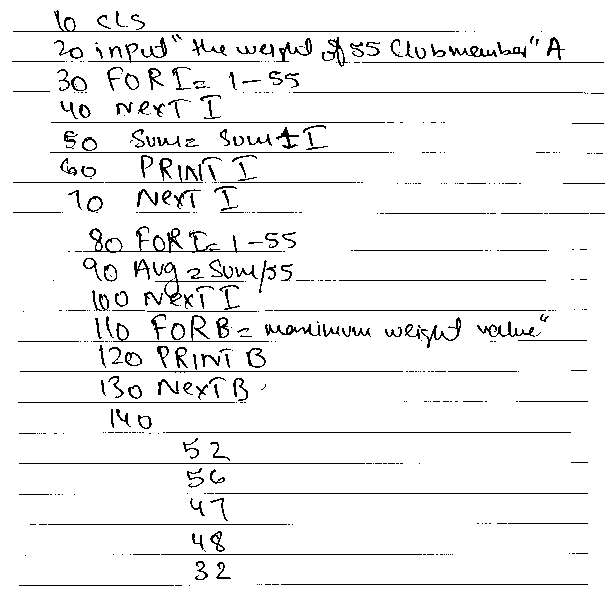
Part (a): Weaker responses did not state proper GW-BASIC statements and could not apply the FOR loop on the given problem, or lacked the conditional logic (IF W > MAX THEN MAX = W) needed to find the maximum value. Part (b): Weaker responses showed that candidates understood the question but were not able to write proper syntax for input and output, could not convert the BMI formula into a valid programming expression, or wrote malformed conditional ranges.
Authentic E-Marking Weaker Candidate Script:
Weaker candidate script for Q.8
Examiner Suggestion for Improvement: Directly aligns with 2025 Class X SLO `10.6.4` (*write a program that stores numeric values in a one-dimensional array using a for loop and obtains the highest, lowest, and average values*). Practice multi-branch range checks (`if ... else if ... else`) using logical `&&` (`AND`) operators under Unit 10 (`10.4.3`).
UNIT 11 • 1 EXTENDED QUESTIONS (ERQS)

Unit 11: Data and Analysis

2025 Syllabus Outcome (11.1.2): analyse the impact, scope, and emerging trends of Artificial Intelligence (AI) in the following fields: a. AI engineering, b. robotics, c. military and aviation, d. mechanical engineering, e. AI-assisted surgery;
EITHER (a): Suppose you connect a virus infected USB drive to your Personal Computer (PC).
•i. What are the possible threats that your PC might be exposed to? Discuss at least SIX possible threats.
•ii. What steps should you take to avoid the viruses that can infect your PC?
OR (b): Artificial Intelligence (AI) is the science of making intelligent machines, especially intelligent computer programs. It is related to the task of using computers to understand human intelligence, but AI does not have to confine itself to methods that are biologically observable.
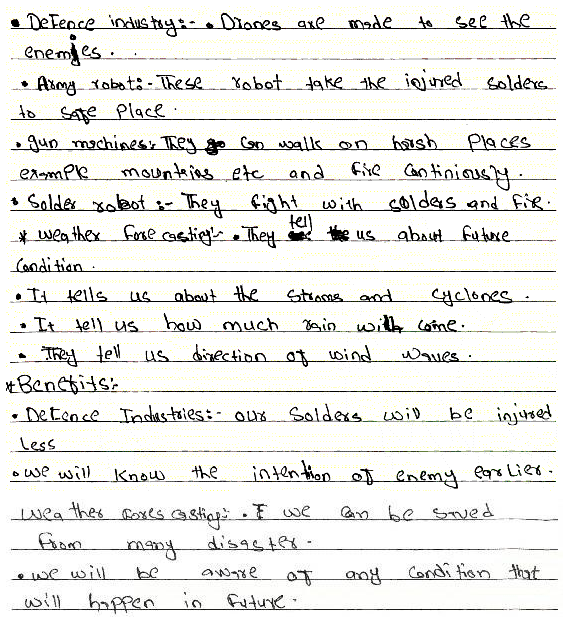
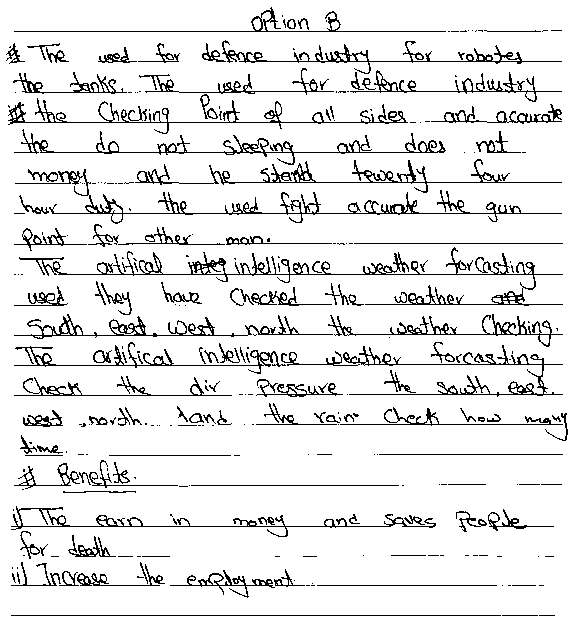
Describe the use of artificial intelligence in the defence industry and weather forecasting. Also, write at least TWO benefits of using artificial intelligence in these fields.
📋 Official Checking Hints (Marking Rubric • 8 Marks)
  • 6 marks for discussing six distinct threats to the PC (1 mark each).
  • 2 marks for describing preventive steps to avoid virus infection.
  • 3 marks for describing uses of AI in the defence industry.
  • 3 marks for describing uses of AI in weather forecasting.
  • 2 marks for stating at least two benefits of using AI in these fields.
✓ MODEL SOLUTION (Full Marks Guidance)
Option (a): USB Virus Threats & Prevention Steps
i. Six Possible Threats to the PC from a Virus-Infected USB Drive:
1.Corruption or Deletion of Data & Files: The virus can overwrite, corrupt, or permanently delete documents, media, and program files.
2.Boot Sector Damage: Boot-sector viruses can overwrite the Master Boot Record (MBR), preventing the operating system from booting.
3.File Replication & Shortcut Creation: Viruses/worms can hide original folders, replace them with malicious .exe/.lnk shortcuts, and self-replicate until disk space is exhausted.
4.System Slowdown & Resource Exhaustion: Malicious background processes consume CPU cycles and RAM, causing severe system lag and frequent crashes.
5.Theft of Confidential Information: Spyware or Trojans carried on the USB drive can steal saved passwords, financial records, and personal files.
6.Propagation Across Connected Networks: Once inside the PC, the malware can spread to shared drives and other computers on the local network.
ii. Preventive Steps to Avoid Virus Infection:
1.Install & Update Antivirus Software: Keep real-time antivirus protection and virus definitions up to date.
2.Scan External Drives Before Opening: Always scan any newly connected USB flash drive with antivirus software before accessing its files.
3.Disable AutoRun / Avoid Double-Clicking: Disable USB AutoRun and open drives via the folder tree rather than double-clicking the root icon.
4.Maintain Regular Backups & OS Updates: Keep offline/cloud backups of critical files and install operating system security patches promptly.
Option (b): Artificial Intelligence in Defence & Weather Forecasting
1. Uses of Artificial Intelligence in the Defence Industry:
•Unmanned Aerial Vehicles (UAVs / Drones) & Autonomous Robots: AI powers reconnaissance drones, bomb-disposal robots, and autonomous ground vehicles to patrol borders and neutralise threats.
•Target Recognition & Threat Surveillance: Computer vision and sensor-fusion algorithms analyse radar and satellite imagery in real time to detect enemy movement and guide precision defense systems.
•Combat Simulation & Cybersecurity: AI models simulate battlefield scenarios for military training and defend critical military networks against cyberattacks.
2. Uses of Artificial Intelligence in Weather Forecasting:
•Satellite & Radar Pattern Analysis: Machine-learning models process massive meteorological datasets (atmospheric pressure, wind speed, humidity, ocean temperatures) from satellites and weather stations.
•Severe Storm & Natural Disaster Prediction: AI predicts cyclones, flash floods, heatwaves, and heavy rainfall patterns days in advance.
3. Key Benefits of Using AI in Defence & Weather Forecasting:
1.Protection of Human Life: Autonomous defense robots and drones can operate 24/7 in hazardous combat zones or minefields without risking soldiers' lives.
2.High Precision & Early Disaster Warnings: AI analyses millions of meteorological variables far faster and more accurately than manual methods, providing early evacuation alerts that save lives and reduce property damage.

Examiner Commentary (Better Responses): Part (a): Better responses described possible threats such as replication of folders due to viruses, failure of operating system, corruption of data and files, damaging the boot sector, changing the location of the file and making their shortcuts, and consuming hardware and software resources to make the system slow. Moreover, these responses wrote appropriate steps to prevent computer systems from viruses such as scan USB drive before opening it, install anti-virus software and keep it updated, avoid double click on USB drive because it may execute the virus in computer system, and run your anti-virus program regularly. Part (b): Better responses described relevant uses of artificial intelligence (AI) in the defence industry and weather forecasting such as unmanned drone attacks can be done via AI, quick and precise attacks on sensitive targets, and analyzing large sets of data to predict the weather better than any experienced weatherman. Moreover, these responses wrote benefits such as AI-based robots can fight in the battle without getting tired for 24×7, are more accurate than humans, can be sent to risky and dangerous places where a normal human cannot go, and AI-based systems can generate alarms to warn people in advance about a big storm.

Authentic E-Marking Better Candidate Script:
Better candidate script for Q.7
⚠ WEAKER RESPONSE (Common Misconceptions & Lost Marks)
Part (a): Weaker responses mostly wrote irrelevant threats to a computer system or rephrased the one or two threats multiple times rather than writing unique threats. Moreover, most of these responses were able to write only one step to stop the viruses from attacking a computer system, i.e. using anti-virus software. Part (b): Weaker responses depicted that candidates could not differentiate between uses and benefits and they mostly wrote the benefits of AI. Moreover, most of these responses wrote general benefits of robots rather than relating them with the scenario given in the question, i.e. defence industry and weather forecasting.
Authentic E-Marking Weaker Candidate Script:
Weaker candidate script for Q.7
Examiner Suggestion for Improvement: Ensure students list distinct technical consequences of malware infection and multiple concrete hygiene practices. Under Unit 11 (`11.1.2`), train students to distinguish clearly between **how AI is used** (specific applications/tasks) and **the benefits achieved** (safety, accuracy, early warning).
UNIT 12 • 5 EXTENDED QUESTIONS (ERQS)

Unit 12: Security, Privacy and Data Integrity

2025 Syllabus Outcome (12.2.2): analyse the impacts of cyberbullying on students;
EITHER
a. Ayesha, a high school student, becomes the target of cyberbullying after someone shares edited photos of her in a group chat. Soon, others began posting hurtful comments and mocking her on social media.
Based on the given situation, analyse any SIX different ways through which cyberbullying can affect Ayesha's emotional, social, and academic well-being. (6 Marks)
OR
b. Analyse any SIX different impacts of Artificial Intelligence (AI) in the fields of robotics, military and aviation, mechanical engineering, and AI-assisted surgery. (6 Marks)
✓ MODEL SOLUTION (Full Marks Guidance)
Option (a): Six Ways Cyberbullying Affects Ayesha's Emotional, Social, and Academic Well-Being
1.Severe Emotional Distress & Anxiety (Emotional): Having manipulated photos circulated publicly causes acute humiliation, anxiety, fear, and emotional trauma.
2.Erosion of Self-Esteem & Depression (Emotional): Continuous mocking comments on social media lower self-confidence and can trigger depressive symptoms or sleep disturbances.
3.Social Withdrawal & Isolation (Social): Fear of peer judgment may cause Ayesha to withdraw from friends, school clubs, and social gatherings.
4.Loss of Trust & Strained Peer Relationships (Social): Betrayal within a school group chat damages her trust in classmates and creates a hostile social environment.
5.Decline in Concentration & Grades (Academic): Constant worry about online harassment impairs classroom focus, homework completion, and examination performance.
6.School Absenteeism & Truancy (Academic): To avoid facing peers who saw the edited photos, Ayesha may skip classes or refuse to attend school.
Option (b): Six Impacts of Artificial Intelligence (AI) Across Engineering, Aviation, and Medicine
1.Autonomous Navigation & Precision in Robotics: AI-powered computer vision and reinforcement learning allow industrial and service robots to navigate dynamic environments, assemble complex components, and collaborate safely with human workers.
2.Unmanned Aerial Vehicles (UAVs) & Threat Detection in Military: AI enables autonomous drones, real-time satellite reconnaissance, target identification, and predictive threat simulation that reduce risk to human soldiers.
3.Autopilot, Flight Path Optimisation & Predictive Maintenance in Aviation: AI systems optimise fuel-efficient flight routes around turbulence, assist pilots during instrument landings, and predict aircraft engine faults before failure occurs.
4.Generative Design & Digital Twins in Mechanical Engineering: AI algorithms simulate thousands of structural geometries to create lightweight, high-strength mechanical parts and monitor machinery health via predictive vibration analysis.
5.Sub-Millimetre Precision in AI-Assisted Surgery: Robotic surgical systems (such as da Vinci assisted by AI vision) filter hand tremors and guide micro-instruments with sub-millimetre accuracy during minimally invasive procedures.
6.Intraoperative Decision Support & Faster Patient Recovery: Real-time AI analysis of endoscopic video and patient vitals alerts surgeons to critical blood vessels or tissue boundaries, reducing blood loss, complications, and hospital recovery time.

Examiner Commentary (Better Responses): Follow the reference model solution and step-by-step marking criteria.

⚠ WEAKER RESPONSE (Common Misconceptions & Lost Marks)
Avoid syntax errors, missing loop termination conditions, or incomplete binary arithmetic carries.
Examiner Suggestion for Improvement: Practise writing complete JavaScript programs and binary arithmetic conversions step by step.
Q.62025 Annual Paper II ↗Out of 2025 Syllabus
Total 6 Marks • Level U
2025 Syllabus Outcome (): Malware (Moved to Class IX Unit 6 SLO 6.3.1) & Types of Hackers (Retired 2022 Syllabus Unit 14)
EITHER
a. Explain the following terms:
i.Worm (2 Marks)
ii.Adware (2 Marks)
iii.Trojan horse (2 Marks)
OR
b. Describe the following types of hackers:
i.Script Kiddie (2 Marks)
ii.Blue Hat Hacker (2 Marks)
iii.Red Hat Hacker (2 Marks)
📋 Official Checking Hints (Marking Rubric • 6 Marks)
  • 2 marks for the explanation of each term (Worm, Adware, Trojan horse).
  • 2 marks each for the description of Script Kiddie, Blue Hat Hacker, and Red Hat Hacker.
✓ MODEL SOLUTION (Full Marks Guidance)
Option (a): Types of Malware
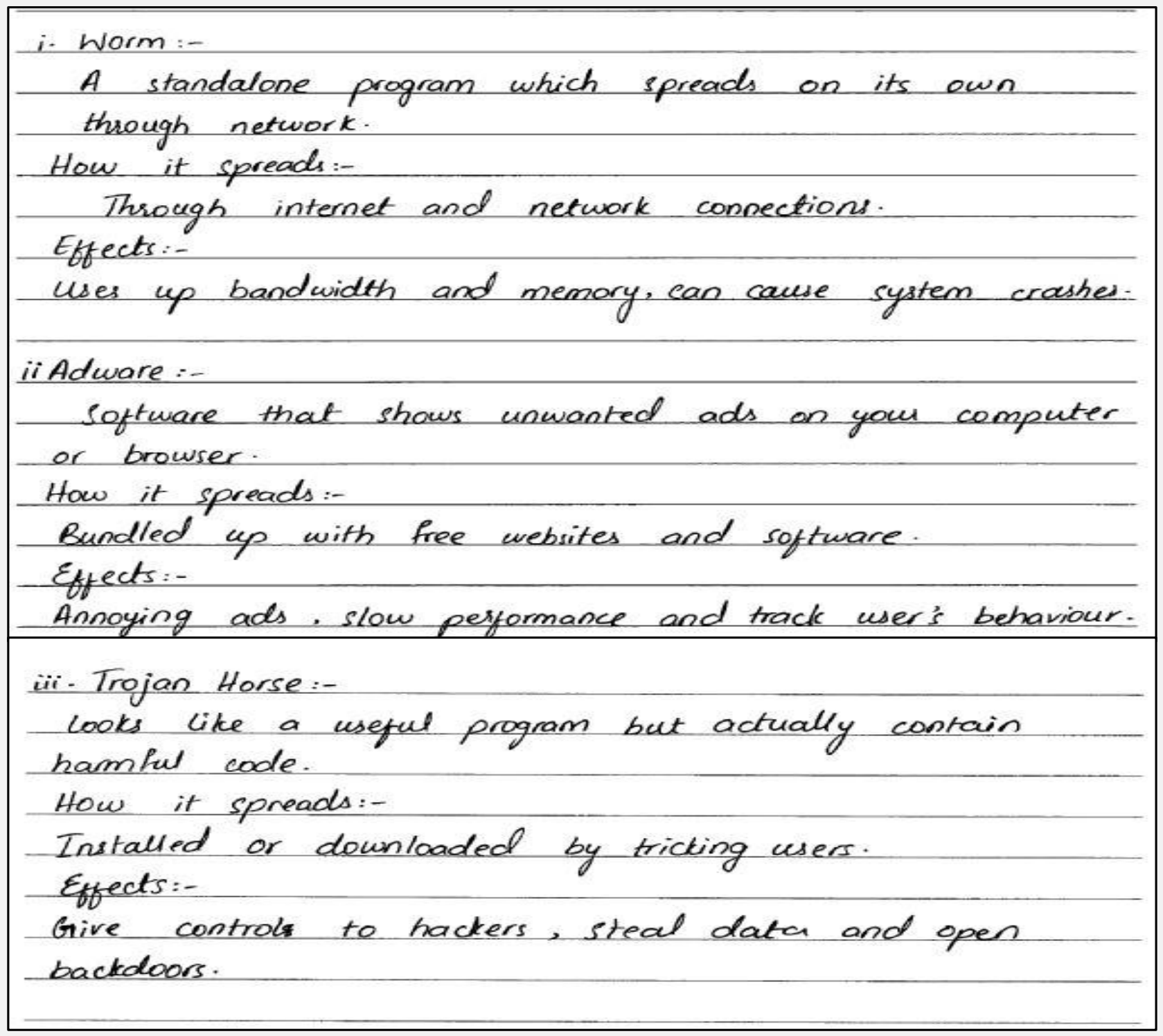
1.Worm (2 Marks): A standalone malicious program that self-replicates and spreads automatically across computer networks and the internet without requiring a host program or human intervention, consuming network bandwidth and system memory.
2.Adware (2 Marks): Advertising-supported software that automatically displays or downloads unwanted pop-up advertisements and banners onto a user's screen or browser, often bundled with free software and tracking user browsing habits.
3.Trojan Horse (2 Marks): Malicious software disguised as a legitimate, useful, or desirable application to trick users into installing and executing it. Unlike viruses or worms, a Trojan horse does not self-replicate, but opens backdoors, steals credentials, or grants remote control to attackers.
Option (b): Types of Hackers
1.Script Kiddie (2 Marks): An unskilled individual who lacks deep programming or networking expertise and uses pre-written scripts, automated tools, or exploit kits created by other hackers to launch cyberattacks for thrill or notoriety.
2.Blue Hat Hacker (2 Marks): Outside security testers invited by software companies (such as Microsoft) to test a system for bugs and vulnerabilities prior to its public launch (or amateur hackers motivated by personal revenge).
3.Red Hat Hacker (2 Marks): Vigilante hackers who combine ethical intent with aggressive tactics; instead of merely reporting black hat hackers to authorities, they infiltrate black hat infrastructure and launch counter-attacks to destroy malicious servers and botnets.

Examiner Commentary (Better Responses): Part (a): In better responses, candidates provided clear and well-structured explanations of the terms worm, adware, and Trojan horse. For example, a worm transmits itself over a network to infect other computers. Adware displays advertisements to users. Trojans are disguised as legitimate or desirable software to trick users into executing them. They accurately identified the key characteristics of each type of malware, elaborating on how they spread within systems and networks. Part (b): In better responses, candidates effectively defined the distinct characteristics of the three types of hackers. For example, a script kiddie lacks technical expertise or skills but uses pre-made scripts to conduct cyberattacks. Blue hat hacker is neither a white hat nor a black hat, either invited by organisations to test systems for bugs before launch or seeking revenge, while Red Hat hackers act as vigilantes who aggressively target and disable black hat hackers.

Authentic E-Marking Better Candidate Script:
Better candidate script for Q.6
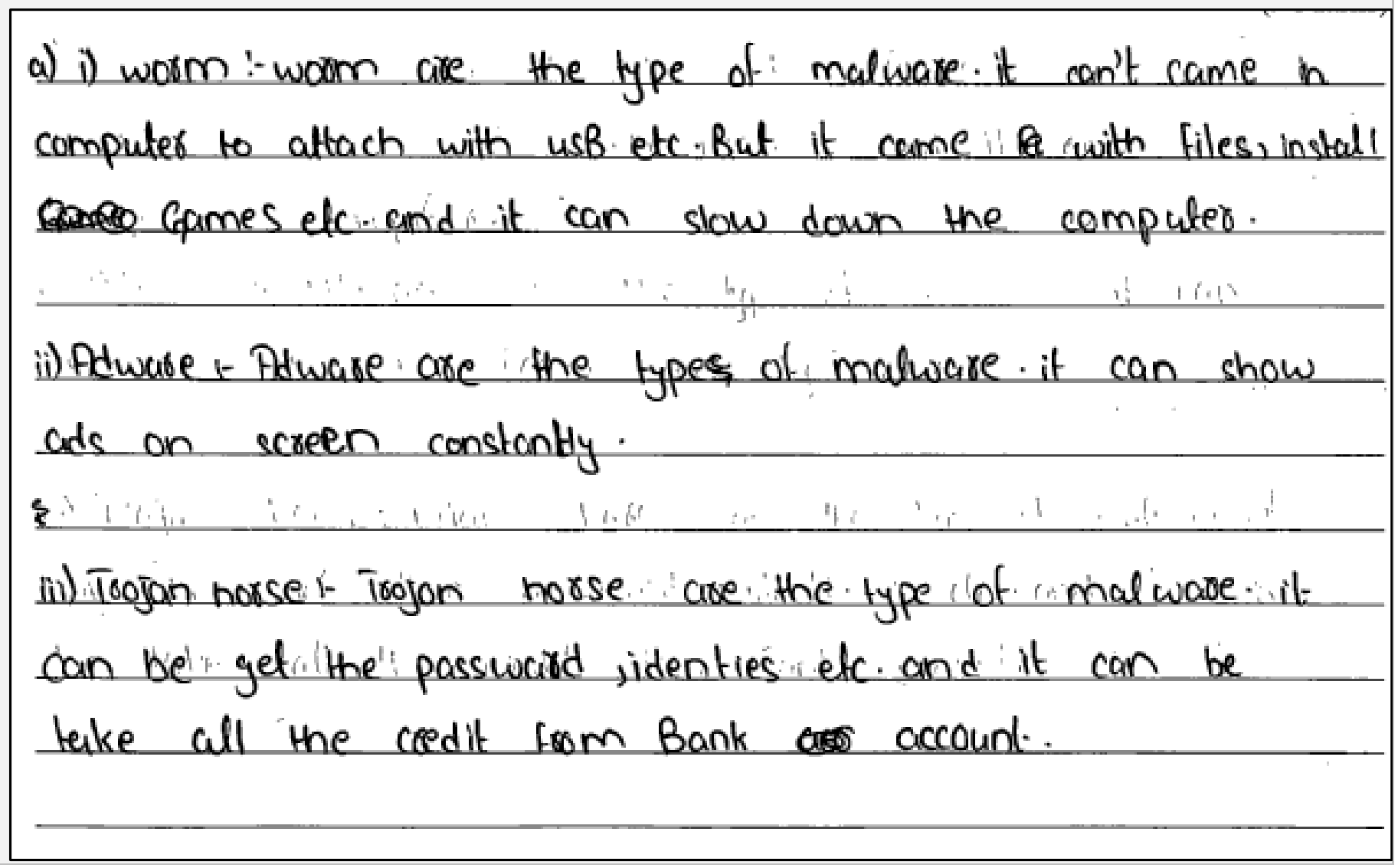
⚠ WEAKER RESPONSE (Common Misconceptions & Lost Marks)
Part (a): In weaker responses, candidates confused the characteristics of different types of malware and were unable to clearly state the key definitions. For example, in the case of worms, they frequently missed essential points such as the worm's ability to self-replicate and spread automatically across computer networks without user intervention. Part (b): In weaker responses, candidates did not perform well on this question and struggled to differentiate between the various types of hackers, particularly Blue Hat Hackers. Some confused them with Green Hat Hackers, while others mixed up the definitions of Red Hat Hackers and Black Hat Hackers. Additionally, several responses failed to distinguish between ethical and unethical hackers.
Authentic E-Marking Weaker Candidate Script:
Weaker candidate script for Q.6
Examiner Suggestion for Improvement: Teachers are encouraged to facilitate classroom discussions or debates focused on the definitions, characteristics, and differences between various types of malware. Engaging students in comparative discussions will help reinforce their understanding and clarify misconceptions, ensuring they can clearly distinguish between threats like worms, adware, and Trojan horses. Teachers can incorporate interactive activities such as role plays, PowerPoint presentations, or group-based class presentations to enhance students' understanding of different types of hackers. By assigning each group a specific type of hacker to research and present, students can engage more deeply with the content in a memorable way.
Q.62023 Annual Paper II ↗Out of 2025 Syllabus
Total 6 Marks • Level U
2025 Syllabus Outcome (): Authentication/2FA (Moved to Class IX Unit 6 SLO 6.3.2) & Types of Hackers (Retired 2022 Syllabus Unit 14)
EITHER (a):
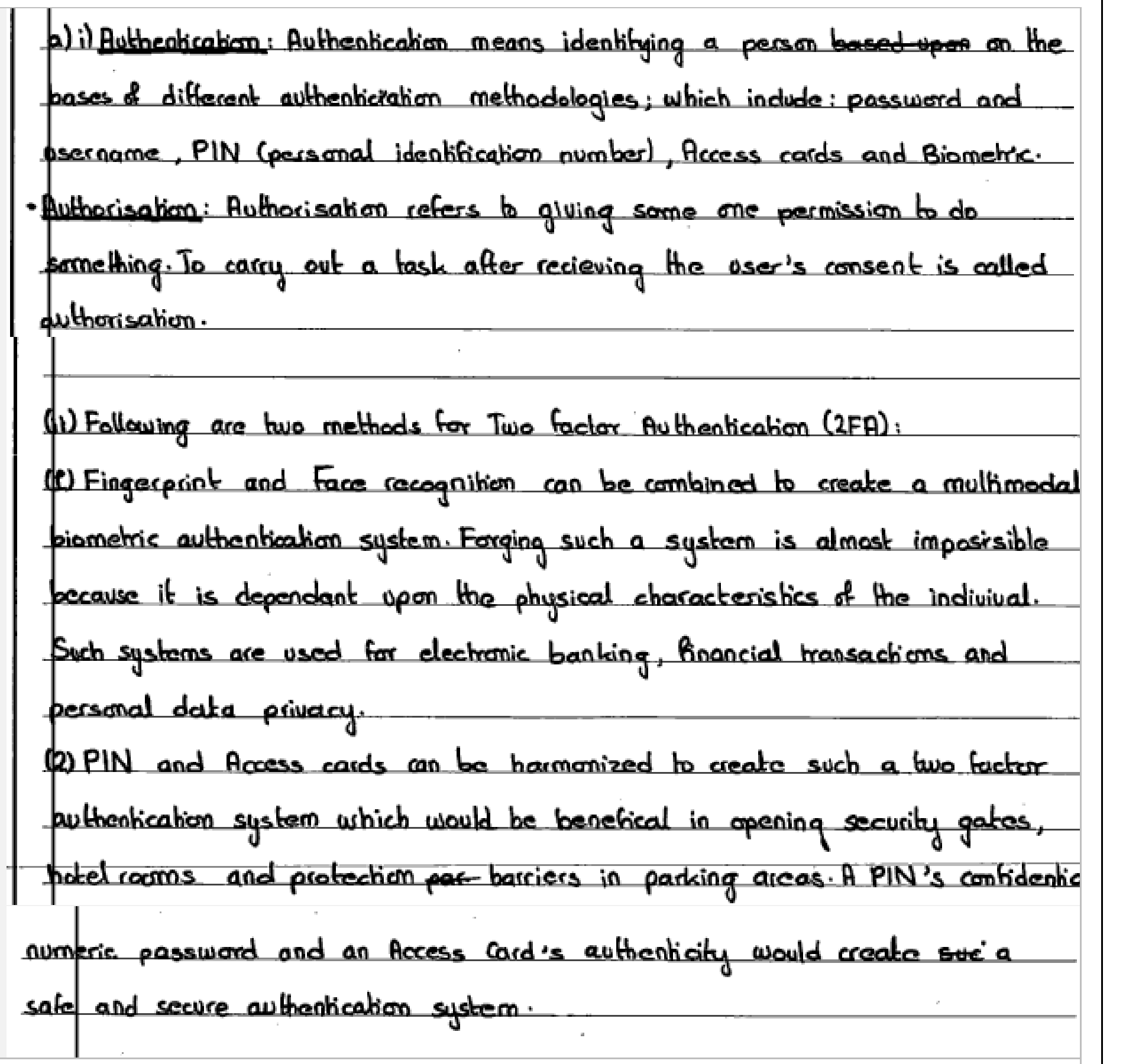
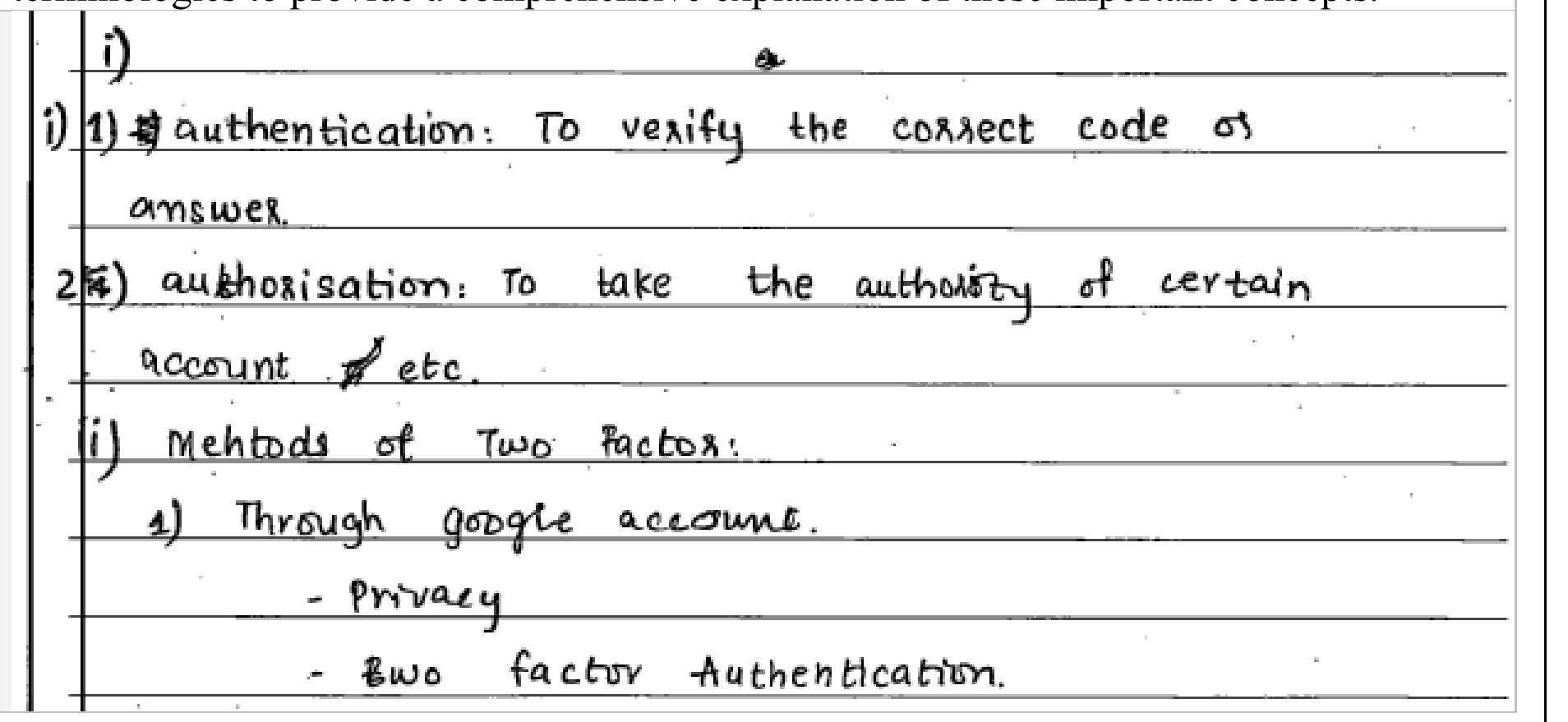
i.Describe authentication and authorisation. (2 Marks)
ii.Describe TWO methods for Two Factor Authentication (2FA). (4 Marks)
OR (b): Describe the following types of hackers:
i.White Hat Hacker (2 Marks)
ii.Black Hat Hacker (2 Marks)
iii.Green Hat Hacker (2 Marks)
📋 Official Checking Hints (Marking Rubric • 6 Marks)
  • 1 mark each for the description of authentication and authorisation.
  • 1 mark will be awarded for only stating authentication and authorisation.
  • 1 mark for writing the names of authentication methods of 2FA (Any TWO required).
  • 1 mark for describing each authentication method of 2FA (Any TWO required).
  • 1 mark for each highlighted point of white hat hacker (Any TWO required).
  • 1 mark for each highlighted point of black hat hacker (Any TWO required).
  • 1 mark for each highlighted point of green hat hacker (Any TWO required).
✓ MODEL SOLUTION (Full Marks Guidance)
i. Authentication vs. Authorisation (2 Marks)
•Authentication (1 Mark): The process of verifying the identity of a user, device, or system before granting access (e.g., verifying a username and password, PIN, access card, or biometric scan).
•Authorisation (1 Mark): The process of determining what permissions, privileges, or resources an already-authenticated user is allowed to access or perform (e.g., read-only vs. administrator access).
ii. Two Methods for Two-Factor Authentication (2FA) (4 Marks)
1.Password/PIN + One-Time Password (SMS / Authenticator App OTP) (2 Marks): Combines something the user knows (account password) with something the user has (a time-sensitive verification code sent to their registered mobile phone or generated by an authenticator app).
2.Access Card + Biometric Scan / PIN (2 Marks): Combines something the user has (a physical smart card / ATM card) with something the user is (fingerprint or facial recognition scan) or knows (confidential PIN) to grant secure access to banking or restricted facilities.
Types of Hackers (6 Marks)
1.White Hat Hacker (2 Marks): Also known as ethical hackers, these cybersecurity professionals are authorised by organisations to perform penetration testing, identify security vulnerabilities, and fix system weaknesses before malicious attackers can exploit them.
2.Black Hat Hacker (2 Marks): Malicious cybercriminals who break into computer systems and networks without authorisation to steal sensitive data, extort money (ransomware), distribute malware, or damage systems for personal or financial gain.
3.Green Hat Hacker (2 Marks): Amateur or novice hackers ('newbies') who are new to the hacking world, lack advanced technical expertise, and are eager to learn hacking techniques and tools from experienced hackers in online communities.

Examiner Commentary (Better Responses): Part (a): In better responses, the candidates showed a good understanding of authentication methods and their significance in ensuring secure access to systems and data, including multimodal biometric verification and smart access cards combined with a PIN. Part (b): In better responses, candidates showed commendable understanding of the three types of hackers, providing accurate definitions and clear distinctions between each category: white hat hackers as ethical hackers, black hat hackers as criminals, and green hat hackers as learners of cybersecurity.

Authentic E-Marking Better Candidate Script:
Better candidate script for Q.6
⚠ WEAKER RESPONSE (Common Misconceptions & Lost Marks)
Part (a): Weaker responses showed inaccuracy and lack of precision in describing authorisation and authentication methods, such as writing 'Google Chrome and its 2FA' or 'locking a door with two keys' without explaining digital authentication factors. Part (b): Weaker responses provided vague or inaccurate statements, such as calling white hat hackers 'the best hackers', black hat hackers 'the most dangerous hackers', and green hat hackers 'not too dangerous hackers' without defining their intent, authorization, or skill level.
Authentic E-Marking Weaker Candidate Script:
Weaker candidate script for Q.6
Examiner Suggestion for Improvement: Teachers are advised to show the practical demonstration of this topic such as use of 2FA by social media or email sites to get access to an account. Teachers are advised to discuss real-life applications and case studies of cybersecurity to the candidates for clear and comprehensive understanding of the concept.
2025 Syllabus Outcome (12.1.3): explain key concepts of copyright, plagiarism, and piracy;
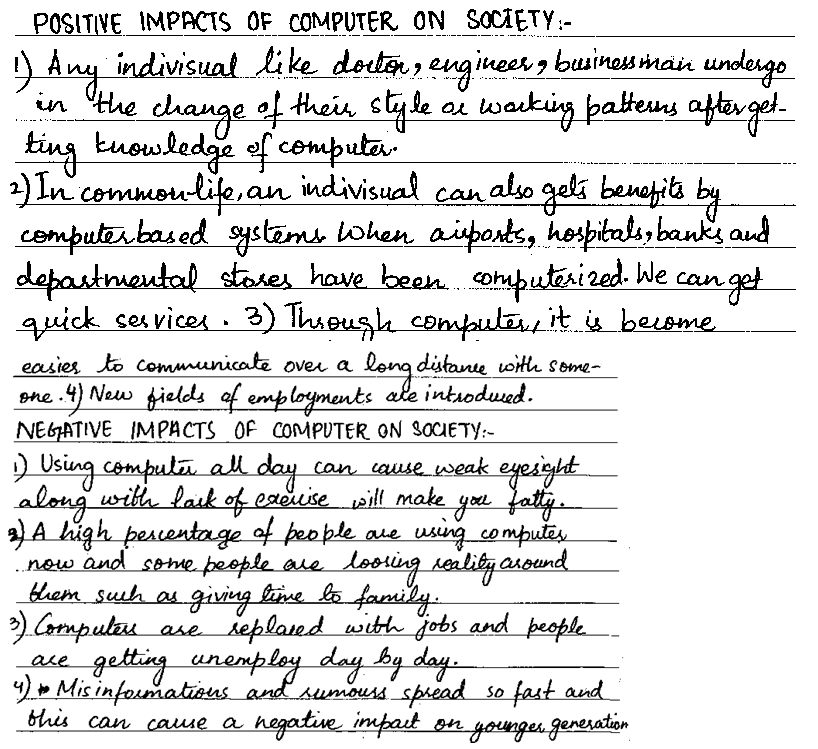
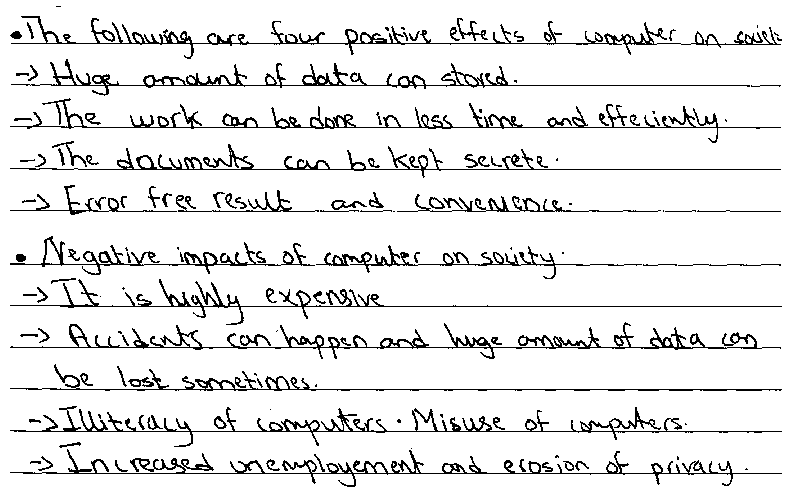
EITHER (a): Describe any FOUR positive and any FOUR negative impacts of computer on society. (8 Marks)
OR (b): Describe the importance of having licence of a computer software from the users' point of view in FOUR points and the owner's (one who owns and sells software) point of view in FOUR points. (8 Marks)
📋 Official Checking Hints (Marking Rubric • 8 Marks)
  • 1 mark for each valid positive impact of computers on society (up to 4 marks).
  • 1 mark for each valid negative impact of computers on society (up to 4 marks).
  • 1 mark for each valid point from the user's point of view (up to 4 marks).
  • 1 mark for each valid point from the software owner's/developer's point of view (up to 4 marks).
✓ MODEL SOLUTION (Full Marks Guidance)
Option (a): Impacts of Computers on Society
Four Positive Impacts of Computers on Society:
1.Fast Global Communication: Enables instant long-distance communication, email, and video conferencing, saving time and travel costs.
2.Remote Work & Employment Opportunities: Creates new jobs in IT, software development, e-commerce, and online freelancing, allowing individuals to work from home globally.
3.Accessible E-Learning & Education: Provides access to online courses, digital libraries, and virtual classrooms from world-class institutions.
4.Paperless Environment & Fast Public Services: Automates banking, healthcare, and airline reservation systems while reducing paper consumption and environmental waste.
Four Negative Impacts of Computers on Society:
1.Health & Well-Being Risks: Prolonged screen time and poor posture cause eye strain, headaches, musculoskeletal pain, and obesity from physical inactivity.
2.Social Isolation: Excessive use of digital devices and social media reduces face-to-face family and community interaction.
3.Rapid Spread of Misinformation & Cyberbullying: Online platforms can be misused to spread rumours, fake news, and cyberbullying.
4.Automation & Job Displacement: Computerised automation of manual clerical and factory tasks can displace unskilled workers.
Option (b): Importance of Software Licensing (User's vs. Owner's View)
Importance of Software Licensing — User's Point of View (4 Points):
1.Protection from Malware & Viruses: Licensed software comes from verified publishers and is free from hidden Trojans, spyware, or ransomware often bundled in pirated copies.
2.Official Updates & Security Patches: Licensed users receive regular bug fixes, feature upgrades, and security patches.
3.Technical Support & Documentation: Users gain access to official customer support, manuals, and warranty assistance.
4.Legal & Ethical Compliance: Using licensed software protects individuals and organisations from copyright infringement penalties and legal prosecution.
Importance of Software Licensing — Owner's / Developer's Point of View (4 Points):
1.Fair Financial Compensation: Licensing ensures developers and software companies are paid for their time, effort, and investment.
2.Intellectual Property & Copyright Protection: Prevents unauthorised copying, redistribution, or reverse-engineering of proprietary code.
3.Funding Research & Future Versions: Revenue from software licences funds ongoing R&D, maintenance, and development of improved future releases.
4.Control Over Usage Terms: Allows the owner to define clear legal terms regarding the number of installations, commercial use, and liability.

Examiner Commentary (Better Responses): Part (a): Better responses revealed that they understood the question well. The positive impacts of computers on society included: computers are used for quick long distance communication and video calls which is time and cost efficient; new employment opportunities are created such as trend of freelancing and working online has increased due to which people can work from home for employers from any part of the world; paper is saved and pollution is reduced due to the replacement of paper work by the computerised systems; computers have made e-learning easy and cost effective due to which people can study from world class institutions while staying at home. Negative impacts described by such candidates included: using computers too long causes health problems such as it may affect eyesight or make the user obese due to less physical movement; people may become socially inactive; computers with the internet connection can be used to spread rumors, false information and fake news quickly; online immoral material and inappropriate websites may open. Part (b): Better responses demonstrated good understanding of importance of software licensing and mentioned that licensed software is free from any hidden virus or malware, user gets full support from the software company, owner of software gets paid by user for using licensed software, and no one else can steal the idea to develop same software.

Authentic E-Marking Better Candidate Script:
Better candidate script for Q.7
⚠ WEAKER RESPONSE (Common Misconceptions & Lost Marks)
Part (a): Weaker responses mostly wrote advantages and disadvantages of computers in general (such as 'computer is fast', 'computer is precise', 'computer is expensive', 'accidental data loss may occur') rather than writing their positive and negative impacts on society. Part (b): Weaker responses depicted that candidates wrote benefits of software in general, rather than software licensing, or gave vague responses which did not fulfill the requirements of question such as 'licensed software helps a number of people' or 'it helps users to do their work faster'.
Authentic E-Marking Weaker Candidate Script:
Weaker candidate script for Q.7
Examiner Suggestion for Improvement: Distinguish between general machine characteristics (speed, accuracy, storage capacity) and **societal/health impacts** (remote work/freelancing, e-learning, paperless environment vs. eyesight/obesity health concerns, social isolation, misinformation). Connect software licensing directly to copyright protection, anti-piracy ethics, security updates, and developer compensation under Unit 12 (`12.1.3`).
2025 Syllabus Outcome (12.1.2): explain the essentials of good digital citizenship (safe and responsible use of technology);
EITHER (a):
•i. Define the term virus with reference to computers. (1 Mark)
•ii. Describe any THREE ways through which viruses can spread in a computer system. (3 Marks)
•iii. Write any FOUR appropriate steps that can be taken to protect a computer system against viruses. (4 Marks)
OR (b): Define the term hacking and suggest any SEVEN effective measures to avoid it. (8 Marks)
📋 Official Checking Hints (Marking Rubric • 8 Marks)
  • 1 mark for defining a computer virus.
  • 3 marks for describing any three ways viruses spread (1 mark each).
  • 4 marks for writing any four steps to protect a computer system against viruses (1 mark each).
  • 1 mark for defining hacking.
  • 7 marks for suggesting seven distinct technical/security measures to avoid hacking (1 mark each).
✓ MODEL SOLUTION (Full Marks Guidance)
Option (a): Computer Viruses — Definition, Spread & Prevention
i. Definition of a Computer Virus (1 Mark):
A computer virus is a malicious software program capable of replicating itself by attaching its code to legitimate files or the boot sector, damaging data, corrupting files, and disrupting normal computer operations without the user's permission.
ii. Three Ways Computer Viruses Spread (3 Marks):
1.Infected Removable Storage Media: Connecting infected USB flash drives, external hard disks, or optical discs and opening files on them.
2.Phishing & Infected Email Attachments: Opening malicious attachments or links received in emails from unknown or spoofed senders.
3.Pirated Software & Untrusted Internet Downloads: Downloading cracked software, pirated games, or infected files from insecure websites or peer-to-peer networks.
iii. Four Steps to Protect a Computer System Against Viruses (4 Marks):
1.Install & Update Antivirus Software: Run reputable antivirus software with real-time protection and updated virus definitions.
2.Scan External Drives Before Use: Always scan USB flash drives and external media before opening any files.
3.Enable a Firewall & Keep the OS Patched: Keep the operating system and firewall updated to block network-borne exploits.
4.Avoid Untrusted Email Attachments & Pirated Software: Never open suspicious email attachments or install unlicensed/pirated programs.
Option (b): Hacking — Definition & Seven Preventive Measures
Definition of Hacking (1 Mark):
Hacking is the act of gaining unauthorised access to a computer system, network, or digital account to view, steal, modify, or destroy sensitive data or disrupt system operations.
Seven Effective Measures to Prevent Hacking (7 Marks):
1.Use Strong, Unique Passwords & Change Them Periodically: Combine uppercase/lowercase letters, digits, and symbols, and avoid reusing passwords across accounts.
2.Enable Two-Factor Authentication (2FA): Require a secondary verification code in addition to a password when signing in.
3.Enable Hardware/Software Firewalls: Monitor and filter incoming and outgoing network traffic to block unauthorized intrusion attempts.
4.Keep the Operating System & Applications Updated: Install security patches promptly to close software vulnerabilities.
5.Install Antivirus & Anti-Spyware Software: Detect and remove keyloggers, Trojans, and remote-access malware.
6.Avoid Logging into Sensitive Accounts on Public Computers/Wi-Fi: Never access banking or personal accounts on untrusted public terminals or unsecured Wi-Fi networks.
7.Beware of Phishing Emails & Suspicious Links: Verify sender identities and never enter credentials on unverified web links.

Examiner Commentary (Better Responses): Part (a): Better responses defined the computer virus correctly and described the ways to spread viruses such as downloading and opening infected attachments in an email, downloading an infected file from the internet, infected removable media (USB flash drive, CD/DVD), and computer networks. Also, these responses wrote correct steps to protect a computer system such as keeping antivirus software up to date, not clicking untrusted email links, using a firewall, and scanning USB drives before opening. Part (b): Better responses showed good understanding about hacking and measures to avoid it, suggesting measures such as changing passwords periodically, installing a firewall on the computer system, updating the operating system frequently, installing anti-spyware/antivirus programs, and not logging into social media or bank accounts from public computers.

Authentic E-Marking Better Candidate Script:
Better candidate script for Q.7
⚠ WEAKER RESPONSE (Common Misconceptions & Lost Marks)
Part (a): Weaker responses were not able to define and explain the ways through which viruses spread and, instead of that, types of viruses were explained. Moreover, these responses wrote duplicate steps to protect a computer system against viruses. Part (b): Weaker responses depicted that candidates understood the question but were not able to write to-the-point answers in technical language, writing general statements such as 'hacking is a bad thing' or 'hacking may cause one to go to the police station'.
Authentic E-Marking Weaker Candidate Script:
Weaker candidate script for Q.7
Examiner Suggestion for Improvement: Connect malware prevention with safe and responsible digital citizenship practices under Unit 12 (`12.1.2`). Emphasise concrete cybersecurity and online-safety practices rather than general legal/moral remarks.
UNIT 13 • 1 EXTENDED QUESTIONS (ERQS)

Unit 13: Digital Literacy

2025 Syllabus Outcome (13.1.2): apply digital technology tools to improve communication, security, and problem-solving in daily life;
EITHER
a. You are a business owner running a small online store. You have just heard about a recent cyber-attack on a similar online store that resulted in customer data theft and financial losses.
i. Describe in THREE points why computer security is vital for your business? (3 Marks)
ii. Describe THREE specific computer security measures or practices that you would implement to protect your online store from cyber threats. (3 Marks)
OR
b.
i. Describe computer virus. (2 Marks)
ii. Give any FOUR ways by which a virus can spread in a computer system. (4 Marks)
📋 Official Checking Hints (Marking Rubric • 6 Marks)
  • i. 1 mark each for any THREE valid reasons why computer security is vital for an online business (3 Marks).
  • ii. 1 mark each for any THREE specific security measures/practices to protect the online store (3 Marks).
  • i. 2 marks for accurately defining a computer virus (malicious program that attaches to host files and self-replicates when executed).
  • ii. 1 mark each for any FOUR valid ways a virus spreads (4 Marks).
✓ MODEL SOLUTION (Full Marks Guidance)
Option (a): Online Store Cybersecurity Scenario
i. Why Computer Security is Vital for an Online Business (3 Marks):
1.Protection of Sensitive Customer Data: Safeguards customers' personal details, shipping addresses, and credit/debit card payment credentials from data breaches and identity theft.
2.Prevention of Financial Loss & Business Disruption: Prevents ransomware, fraudulent transactions, regulatory fines, and costly website downtime caused by DDoS or malware attacks.
3.Preservation of Brand Reputation & Customer Trust: Maintains customer confidence so shoppers feel safe purchasing from the online store without fear of compromise.
ii. Three Specific Computer Security Measures to Protect the Online Store (3 Marks):
1.Strong Authentication & Access Control: Enforce complex passwords and Two-Factor Authentication (2FA / MFA) for admin panels and customer accounts, along with role-based access levels.
2.SSL/TLS Encryption & Firewalls: Use HTTPS (SSL/TLS) encryption for all checkout/payment traffic and deploy a Web Application Firewall (WAF) and updated anti-malware software.
3.Regular Software Patching & Encrypted Backups: Keep the e-commerce platform, plugins, and server OS updated with security patches, and maintain regular off-site encrypted database backups.
Option (b): Computer Virus and Its Transmission Vectors
i. Description of a Computer Virus (2 Marks):
A computer virus is a malicious software program that attaches itself to a legitimate host file or executable program and replicates itself when the infected host program is executed by a user, corrupting data, deleting files, or degrading system performance.
ii. Four Ways by Which a Virus Can Spread in a Computer System (4 Marks):
1.Infected Removable Storage Media (USB Flash Drives / External Hard Drives / CDs): Plugging in and opening files from an infected USB drive transfers the virus to the host computer.
2.Malicious Email Attachments & Phishing Links: Opening infected .exe, .docm, or .zip attachments received via email executes the embedded virus payload.
3.Downloading Pirated or Untrusted Software from the Internet: Installing cracked games, pirated applications, or files from unverified websites bundles hidden viruses onto the system.
4.Local Area Networks (LAN) & Shared Network Folders: Viruses can propagate across shared network drives when users execute infected shared files.

Examiner Commentary (Better Responses): In better responses for Part (a), candidates separated the business importance points (i) from the concrete technical safeguards (ii). For Part (b), candidates defined a virus as host-dependent self-replicating malware and explained four distinct transmission vectors.

⚠ WEAKER RESPONSE (Common Misconceptions & Lost Marks)
In weaker responses for Part (a), candidates repeated the same point (e.g., 'install antivirus') in both parts i and ii. In Part (b), some candidates defined a virus merely as 'something that slows down the computer' without mentioning malicious code or replication.
Examiner Suggestion for Improvement: Practise scenario-based cybersecurity questions by distinguishing between the impact/risk of an attack (why security matters) and the technical countermeasures (encryption, 2FA, firewalls, backups, anti-malware).